
THE HOUSECAN
Creator: qwagrbulae · 2026-09-06 · Maps · Free on Eaglercraft Studio
Download THE HOUSECAN — free Minecraft map. Created by qwagrbulae. Tagged other. Get the world/schematic file when available and explore more free maps on Eaglercraft Studio.
Creator notes
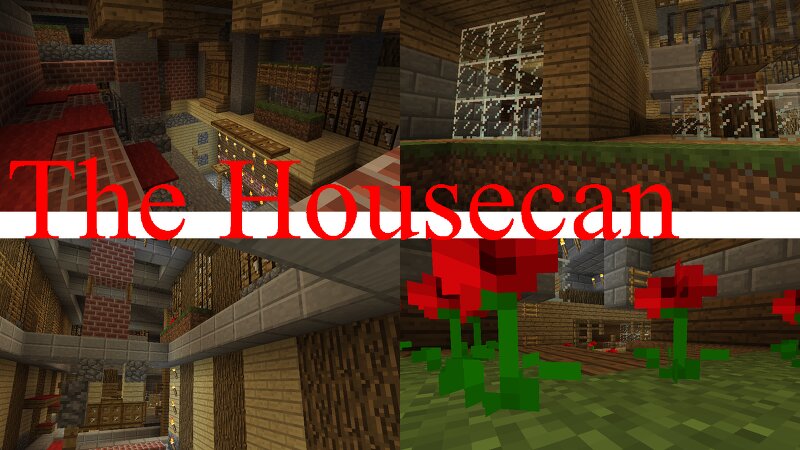
The Housecan has many of the structures and aesthetics of a typical Minecraft house, but none of the cohesion of them. It is still nonetheless cohesive, just not in the way you typically think of the word. It uses a strict block palette of 28 total blocks, excluding air. There are no softlocks, every location is accessible from every other. There is no wasted space in the Houescan, all of its rooms weave through each other incredibly delicately. None of the Housecan was automated, with AI or even Worldedit, each and every block was maticulously and intentionally placed by a human being, with over 100,000 in total. The intended experience is one in which you do not interact with the Housecan in any way beyond exploring it; this means no breaking or placing blocks, no flipping of doors or trapdoors, no use of items like elytras ender pearls and fire, and no external help. The ideal experience is in a group of as many people as possible, all of whom are exploring the Housecan for the first time. Though there is a clear line of progression in the Housecan, it is not recommended to have your only goal be to "get out", but rather to try and explore as much of the space as possible.
Added value
What’s included on this page
Preview, categories, compatibility, and tools on this page — not a bare file mirror.
- Creator
- qwagrbulae
- Source
- Minecraft downloads library on Eaglercraft Studio
- Type
- Minecraft map / world
- Price
- Free download on Eaglercraft Studio
- Curation
- Listed with credit to qwagrbulae · studio preview & install guide
- Compatible with
- Minecraft Java (match version / loader in facts)
- Tags
- Other
Install guide
How to install this free Minecraft map
Eaglercraft Studio map listing with preview, creator credit, and install steps for Java worlds.
- 1Download the world archive (.zip / .mcworld / schematic) when available.
- 2For Java: extract into your .minecraft/saves folder (or import via your launcher).
- 3Launch Minecraft, select the world, and play. Keep a backup before overwriting saves.
Check any version notes in the facts panel — maps often target a specific Minecraft release.
Related free maps
More curated maps from the same library section.

CraftyFoxe · 761 diamonds · 418 views

CraftyFoxe · 761 diamonds · 339 views

CraftyFoxe · 761 diamonds · 319 views

CraftyFoxe · 761 diamonds · 306 views