
Tic Tac Toe - GrapeGamer8978
Creator: Grapegamer8978 · 2026-08-29 · Maps · Free on Eaglercraft Studio
Download Tic Tac Toe - GrapeGamer8978 — free Minecraft map. Created by Grapegamer8978. Tagged 2player, bedrock, commands, minigame. Get the world/schematic file when available and explore more free maps on Eaglercraft Studio.
Creator notes
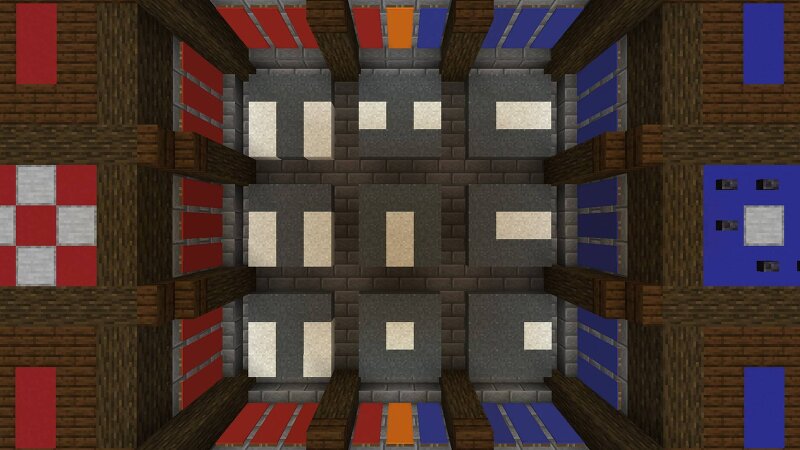
Tic Tac Toe — GrapeGamer8978 A fully command-block-based Tic Tac Toe build featuring interactive buttons, sound effects, win/draw detection, animated falling pieces, and an automatic reset system. As you should probably know, Tic Tac Toe is a 2-player game where players take turns placing X s and O s into a 3×3 grid. The first player to get three of their pieces in a row — horizontally, vertically, or diagonally — wins the game. If the entire board is filled without either player getting three in a row, the game ends in a draw. About the Features Winning pieces tint Green , making the winning combination easy to see. In the event of a draw, all pieces tint Gray . The build includes both an automatic reset and a manual reset , with the reset area marked by Magma blocks. Players spawn in Adventure Mode , while still being able to fly around the build. Buttons are used to select where you want to place your X or O . Once selected, the piece falls from the sky and lands in the chosen slot , adding a bit of animation to every move. The buttons used to place a piece disappear after being pressed and are handed over to the opposing player. They then reappear when it is your turn again. Th
Added value
What’s included on this page
Preview, categories, compatibility, and tools on this page — not a bare file mirror.
- Creator
- Grapegamer8978
- Source
- Minecraft downloads library on Eaglercraft Studio
- Type
- Minecraft map / world
- Price
- Free download on Eaglercraft Studio
- Curation
- Listed with credit to Grapegamer8978 · studio preview & install guide
- Compatible with
- Minecraft Java (match version / loader in facts)
- Tags
- 2player, Bedrock, Commands, Minigame, Other, Tictactoe
Install guide
How to install this free Minecraft map
Eaglercraft Studio map listing with preview, creator credit, and install steps for Java worlds.
- 1Download the world archive (.zip / .mcworld / schematic) when available.
- 2For Java: extract into your .minecraft/saves folder (or import via your launcher).
- 3Launch Minecraft, select the world, and play. Keep a backup before overwriting saves.
Check any version notes in the facts panel — maps often target a specific Minecraft release.
Related free maps
More curated maps from the same library section.

CraftyFoxe · 761 diamonds · 418 views

CraftyFoxe · 761 diamonds · 339 views

CraftyFoxe · 761 diamonds · 319 views

CraftyFoxe · 761 diamonds · 306 views