
Tiny Floating Island | Sky Block Map (Latest Version, Java, 26.2)
Creator: FlintFifty · 2026-09-14 · Maps · Free on Eaglercraft Studio
Download Tiny Floating Island | Sky Block Map (Latest Version, Java, 26.2) — free Minecraft map. Created by FlintFifty. Tagged adventure, challenge adventure, java, latestversion. Get the world/schematic file when available and explore more free maps on Eaglercraft Studio.
Creator notes
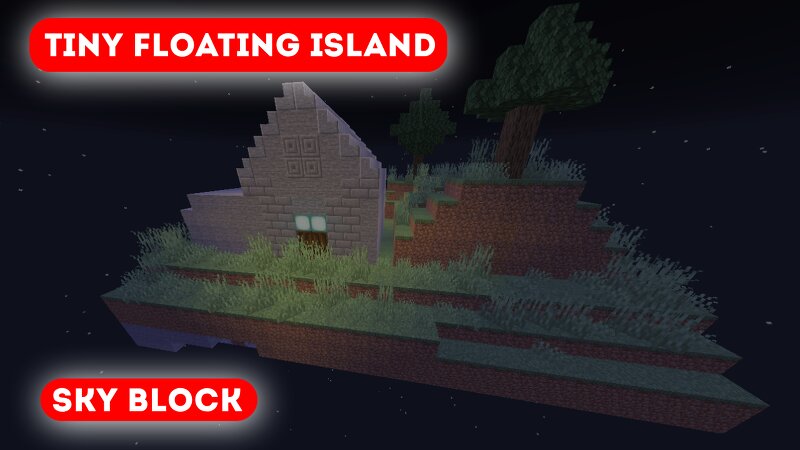
Tiny Floating Island Survival! Complete 5 custom quests. Find the 1 mysterious chest. Pure survival/adventure. Please read the "Read me". Tiny Floating Island - Survival You spawn alone on a tiny island floating in the infinite void. One chest, a few blocks, and nothing below you. This is pure survival. Every block counts. Every mistake can send you into the void. Expand your island, build your base, create farms and prove you can survive with almost nothing. Hidden somewhere on the island is 1 mysterious chest behind a crying obsidian door. Can you find what's inside? No mods. No cheats. Just you and the void. How long can you survive? Rules: 1. Don't cheat or use creative mode 2. Play on Survival (Easy, Normal or Hard). Type /difficulty normal if it's set to peaceful. 3. One life = One try. If you fall, you lose everything. 4.There are hidden chests in the island, try to find them. 5. Have fun!
Added value
What’s included on this page
Preview, categories, compatibility, and tools on this page — not a bare file mirror.
- Creator
- FlintFifty
- Source
- Minecraft downloads library on Eaglercraft Studio
- Type
- Minecraft map / world
- Price
- Free download on Eaglercraft Studio
- Curation
- Listed with credit to FlintFifty · studio preview & install guide
- Compatible with
- Minecraft Java (match version / loader in facts)
- Tags
- Adventure, Challenge Adventure, Java, Latestversion, Multiplayer, Singleplayer
Install guide
How to install this free Minecraft map
Eaglercraft Studio map listing with preview, creator credit, and install steps for Java worlds.
- 1Download the world archive (.zip / .mcworld / schematic) when available.
- 2For Java: extract into your .minecraft/saves folder (or import via your launcher).
- 3Launch Minecraft, select the world, and play. Keep a backup before overwriting saves.
Check any version notes in the facts panel — maps often target a specific Minecraft release.
Related free maps
More curated maps from the same library section.

CraftyFoxe · 761 diamonds · 418 views

CraftyFoxe · 761 diamonds · 339 views

CraftyFoxe · 761 diamonds · 319 views

CraftyFoxe · 761 diamonds · 306 views