
Underground: A Story No One Knows
Creator: KusunokiGames · 2026-09-13 · Maps · Free on Eaglercraft Studio
Download Underground: A Story No One Knows — free Minecraft map. Created by KusunokiGames. Tagged adventure, bedrock, challenge adventure, singleplayer. Get the world/schematic file when available and explore more free maps on Eaglercraft Studio.
Creator notes
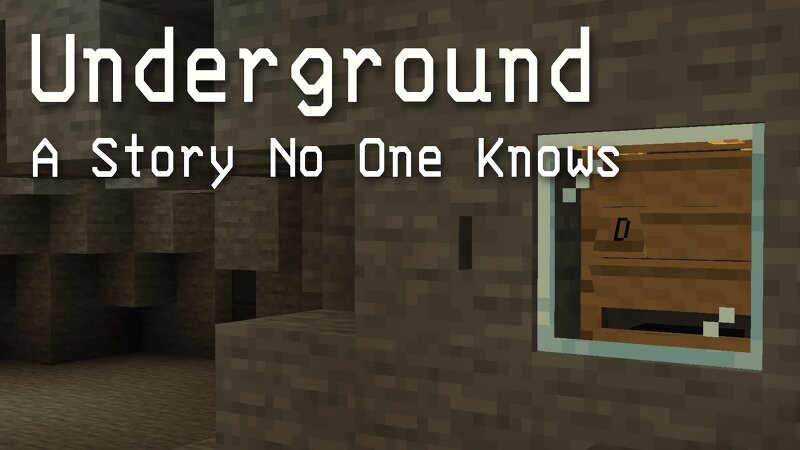
Underground: A Story No One Knows Underground is a single-player adventure built around exploration, combat, and intricate interactive mechanisms. Early Access This is an Early Access release. The current release includes No.2 and No.3. It represents only a small part of the Underground story. Features Single-player Adventure / Action Exploration Combat Intricate interactive mechanisms Custom gameplay systems Designed for Minecraft Bedrock Edition Play Information Minecraft Bedrock Edition Single-player Adventure Mode Estimated Playtime: 20–40 minutes Language English Japanese Feedback Questions and feedback are welcome in the comments. For detailed bug reports or private feedback: Feedback Form Discord Official Website Official Website Creator Kusunoki Games Credits Music & Sound: Original track by the author. (Allowed for streaming & monetization / All rights reserved)
Added value
What’s included on this page
Preview, categories, compatibility, and tools on this page — not a bare file mirror.
- Creator
- KusunokiGames
- Source
- Minecraft downloads library on Eaglercraft Studio
- Type
- Minecraft map / world
- Price
- Free download on Eaglercraft Studio
- Curation
- Listed with credit to KusunokiGames · studio preview & install guide
- Compatible with
- Minecraft Java (match version / loader in facts)
- Tags
- Adventure, Bedrock, Challenge Adventure, Singleplayer, Underground
Install guide
How to install this free Minecraft map
Eaglercraft Studio map listing with preview, creator credit, and install steps for Java worlds.
- 1Download the world archive (.zip / .mcworld / schematic) when available.
- 2For Java: extract into your .minecraft/saves folder (or import via your launcher).
- 3Launch Minecraft, select the world, and play. Keep a backup before overwriting saves.
Check any version notes in the facts panel — maps often target a specific Minecraft release.
Related free maps
More curated maps from the same library section.

CraftyFoxe · 761 diamonds · 418 views

CraftyFoxe · 761 diamonds · 339 views

CraftyFoxe · 761 diamonds · 319 views

CraftyFoxe · 761 diamonds · 306 views