
Underground Adventure 1.17 (lost?)
Creator: Timberdoodle · 2026-09-27 · Maps · Free on Eaglercraft Studio
Download Underground Adventure 1.17 (lost?) — free Minecraft map. Created by Timberdoodle. Tagged adventure, challenge adventure, combat, levels. Get the world/schematic file when available and explore more free maps on Eaglercraft Studio.
Creator notes
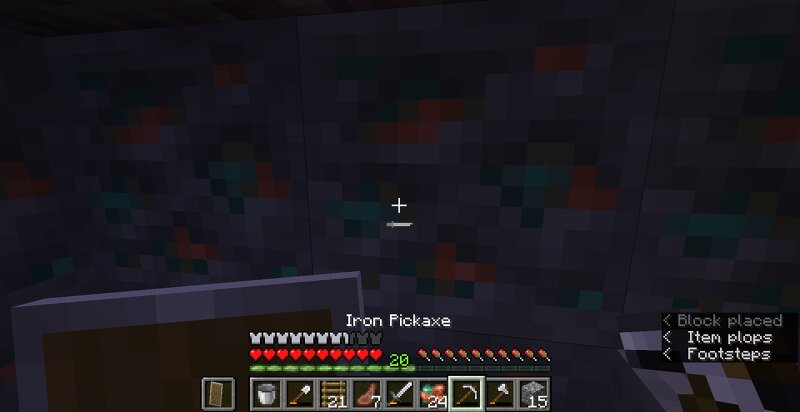
This is the oldest map I have access to. Due to rapid drive degredation on the computer I play minecraft on, I can't access anything but the files I backed up at the moment, so I can't really go in and take better picture sadly. Because it is so old, I only have 1 screenshot from when I was replaying it in 2024ish. If I find any more screenshots I will definitely add them here. This crude adventure map was inspired by several lets-plays of adventure maps on YouTube way back in the day. It was abandoned a long time ago and should not be updated to 1.17 due to some levels requiring you to fly into the void or uses the void as a pitfall. There are several "levels", a parkour challenge, a target practice area, an arena and an underground village at the center. There is a story, but it reeks of semi-literate teen writing (It was made in 2018/19 to 2020/21). "Levels": OG Underground, Lava (nether), Sewer/ocean, Jungle, Frozen It is recommended to play on 1.17 or the void will be filled in deepslate.
Added value
What’s included on this page
Preview, categories, compatibility, and tools on this page — not a bare file mirror.
- Creator
- Timberdoodle
- Source
- Minecraft downloads library on Eaglercraft Studio
- Type
- Minecraft map / world
- Price
- Free download on Eaglercraft Studio
- Curation
- Listed with credit to Timberdoodle · studio preview & install guide
- Compatible with
- Minecraft Java (match version / loader in facts)
- Tags
- Adventure, Challenge Adventure, Combat, Levels, Lost, Old
Install guide
How to install this free Minecraft map
Eaglercraft Studio map listing with preview, creator credit, and install steps for Java worlds.
- 1Download the world archive (.zip / .mcworld / schematic) when available.
- 2For Java: extract into your .minecraft/saves folder (or import via your launcher).
- 3Launch Minecraft, select the world, and play. Keep a backup before overwriting saves.
Check any version notes in the facts panel — maps often target a specific Minecraft release.
Related free maps
More curated maps from the same library section.

CraftyFoxe · 761 diamonds · 418 views

CraftyFoxe · 761 diamonds · 339 views

CraftyFoxe · 761 diamonds · 319 views

CraftyFoxe · 761 diamonds · 306 views