
Veil of the Cursed Garden (26.2)
Creator: rustycreeper · 2026-09-04 · Maps · Free on Eaglercraft Studio
Download Veil of the Cursed Garden (26.2) — free Minecraft map. Created by rustycreeper. Tagged adventure, adventuremap, boss, bossfight. Get the world/schematic file when available and explore more free maps on Eaglercraft Studio.
Creator notes
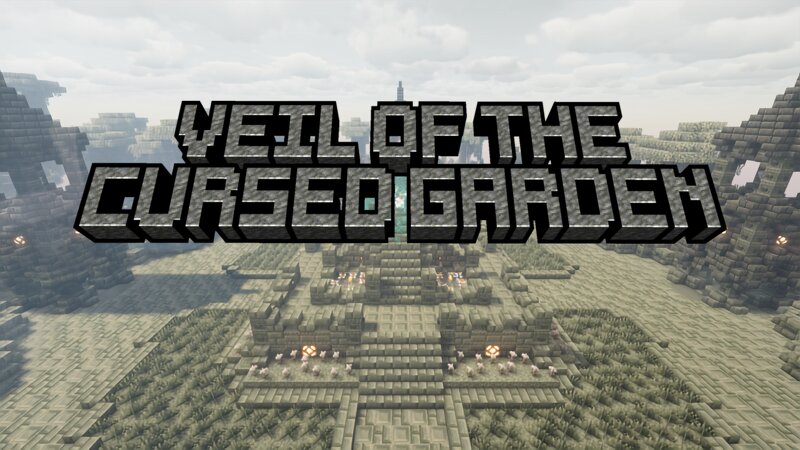
Story A mysterious teleporter sends you deep beneath a forgotten floating island, where ancient ruins lie hidden in the depths. Fight your way through the dungeon and ascend into the cursed garden above, where an ancient artifact known as the Cloud in a Bottle awaits. But the path to the artifact holds secrets that have remained undisturbed for centuries... Uncover what lies beyond the veil. Map Features - 3 main areas to explore - Custom items, abilities, mobs, shops, cutscenes & boss fights - 30mins to 45mins of gameplay - No mods required - Can be played with 1-4 players Recommended Settings - Render distance: 10 (or above) - Particles: All - Clouds: Fancy - Improved Transparency: On - Smooth Lighting: On - Reduce FPS when: Minimized Bugs & Issues If you find any bugs/issues, please let me know and I'll try to fix them as soon as I can!
Added value
What’s included on this page
Preview, categories, compatibility, and tools on this page — not a bare file mirror.
- Creator
- rustycreeper
- Source
- Minecraft downloads library on Eaglercraft Studio
- Type
- Minecraft map / world
- Price
- Free download on Eaglercraft Studio
- Curation
- Listed with credit to rustycreeper · studio preview & install guide
- Compatible with
- Minecraft Java (match version / loader in facts)
- Tags
- Adventure, Adventuremap, Boss, Bossfight, Challenge, Challenge Adventure
Install guide
How to install this free Minecraft map
Eaglercraft Studio map listing with preview, creator credit, and install steps for Java worlds.
- 1Download the world archive (.zip / .mcworld / schematic) when available.
- 2For Java: extract into your .minecraft/saves folder (or import via your launcher).
- 3Launch Minecraft, select the world, and play. Keep a backup before overwriting saves.
Check any version notes in the facts panel — maps often target a specific Minecraft release.
Related free maps
More curated maps from the same library section.

CraftyFoxe · 761 diamonds · 418 views

CraftyFoxe · 761 diamonds · 339 views

CraftyFoxe · 761 diamonds · 319 views

CraftyFoxe · 761 diamonds · 306 views