
Village Brawler - Mob Fighting Game Simulator
Creator: iseedrowningfish · 2026-09-21 · Maps · Free on Eaglercraft Studio
Download Village Brawler - Mob Fighting Game Simulator — free Minecraft map. Created by iseedrowningfish. Tagged other, simulation. Get the world/schematic file when available and explore more free maps on Eaglercraft Studio.
Creator notes
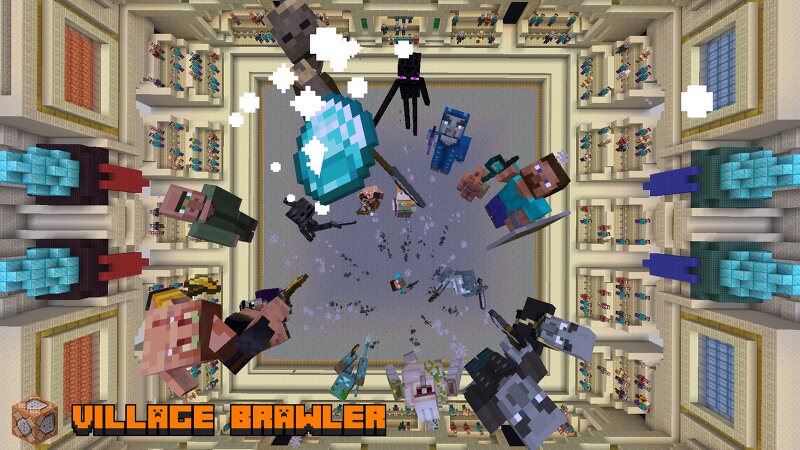
This map is a mob-battling simulator where the mobs control themselves. Consists of: - 17 Fighters (each with a passive, 3 abilities, and 1 ultimate ability) - Most fighters come with a unique intro to the battle. - 1v1 best-of-3 fights. You can select fighters & view their kits before starting a match. - Visible meters (HP bar, Ultimate Meter, gimmicks) that can be toggled on/off This map is for version 26.3. This map can also be played in 26.2, but if issues occur, you may need to do the following: - Replace "mainhand stab" with "mainhand" for Herobrine, Husk, and Illusioner Minion files If you want to create your own fighter and such, you can refer to the tutorial folder in the map folder (for now). Optional Resource Pack(s): (this is for entity animations) - Fresh Animations: modrinth.com/resourcepack/fresh-animations (you may need to get Entity Model Features & Entity Texture Features for this to work properly) - Fresh Moves: https://modrinth.com/resourcepack/tras-fresh-player (no eyes) Optional Mod(s): (If you want a better camera compared to spectator mode) - Flashback: modrinth.com/mod/flashback
Added value
What’s included on this page
Preview, categories, compatibility, and tools on this page — not a bare file mirror.
- Creator
- iseedrowningfish
- Source
- Minecraft downloads library on Eaglercraft Studio
- Type
- Minecraft map / world
- Price
- Free download on Eaglercraft Studio
- Curation
- Listed with credit to iseedrowningfish · studio preview & install guide
- Compatible with
- Minecraft Java (match version / loader in facts)
- Tags
- Other, Simulation
Install guide
How to install this free Minecraft map
Eaglercraft Studio map listing with preview, creator credit, and install steps for Java worlds.
- 1Download the world archive (.zip / .mcworld / schematic) when available.
- 2For Java: extract into your .minecraft/saves folder (or import via your launcher).
- 3Launch Minecraft, select the world, and play. Keep a backup before overwriting saves.
Check any version notes in the facts panel — maps often target a specific Minecraft release.
Related free maps
More curated maps from the same library section.

CraftyFoxe · 761 diamonds · 418 views

CraftyFoxe · 761 diamonds · 339 views

CraftyFoxe · 761 diamonds · 319 views

CraftyFoxe · 761 diamonds · 306 views