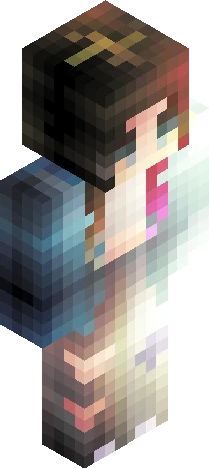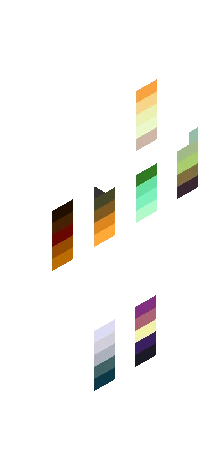
800 Followers Palette Contest ~ Read Description Prior to Joining
64×64 PNG · Java, Bedrock, Eaglercraft
Click and drag to rotate
PSC
by Zuimba · Minecraft Skins community listing
Free V/x~> Polysynthetic Challenge I <~x\V (Please see description before joining) skin for Minecraft and Eaglercraft. Tagged psc, polysynthetic challenge, zuimba, zuimba_psce1. Use the 3D preview, remix it in our skin editor, or download the PNG with no watermark.
Uploader notes
Welcome to the first Polysynthetic Challenge ever posted on Skindex! This is a relatively new concept so it shall be explained here: ~> There are 376 individual pixel blocks, each filled with a randomly generated colour out of the possible 16.7 million colours possible in the usable colour space of a Minecraft skin ~> Your job to create a fully shaded skin with the colours provided in their original spots. You may hueshift, but the colours provided must be DISTINGUISHABLE to their location on the base provided here. Top layer uses same colours as the underside. ~> The concept is to focus on creativity within idea execution; good skins can only be made when the conceptual framework is established in its best interest. ~> There is no due date, so entrees may be submitted whenever, but great rewards will be handed out to the top three best entrees submitted by October 31st, 2026 ~> Multiple Entrees may be submitted, but only the first shall be eligible for the reward. ~> For your convenience, back/front has been marked by a removal black/white dot. Tag your entry with Zuimba_PSCE1 Polysynthetic Challenge entrees may be abbreviated as PSCE, and hosting pages PSC. Good luck!
64×64 · classic or slim is detected from the PNG
Added value
Preview, categories, compatibility, and tools on this page — not a bare file mirror.
Download
Downloads are free. An optional account only saves favorites across devices.
Edit
Eaglercraft · Minecraft
Download the PNG, then apply it in the Eaglercraft client you already use. Menus differ by host. This site does not distribute the game.
Standard model · 64×64. We never ask for a game password. A skin file is only artwork.
More library skins from related categories — curated for discovery, not random filler.
64×64 PNG · Java, Bedrock, Eaglercraft
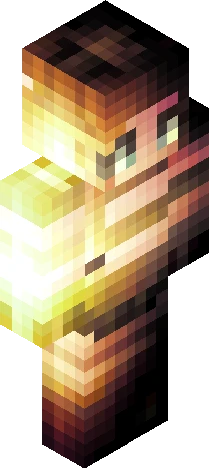
64×64 PNG · Java, Bedrock, Eaglercraft
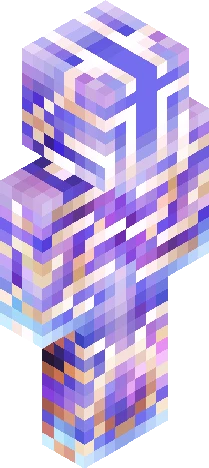
64×64 PNG · Java, Bedrock, Eaglercraft