
3D Items (1.21.2 - 1.21.10)
Creator: TheStarGamer · 2025-11-25 · Data packs · Free on Eaglercraft Studio
Download 3D Items (1.21.2 - 1.21.10) — free Minecraft data pack. Created by TheStarGamer. Tagged 3d, cosmetic, deco, decoration. Drop into your world’s datapacks folder when the archive is available.
Creator notes
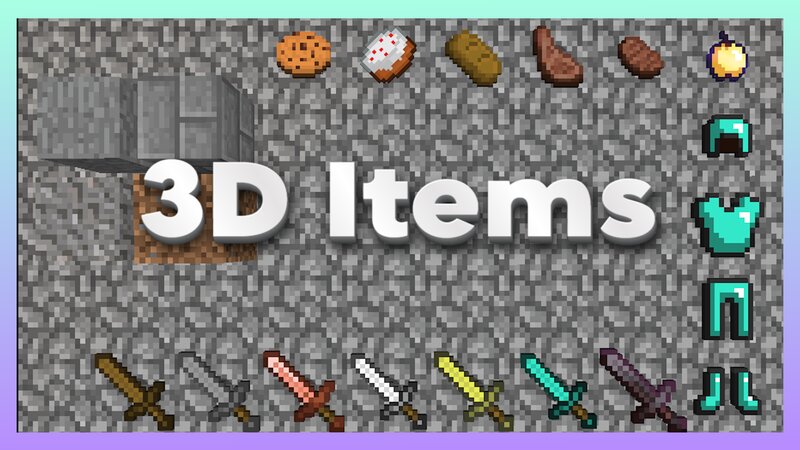
3D Items is a Datapack that gives every Item a better 3D look with a bunch of additional features! No Resource Pack required! This Datapack is multiplayer compatible! Features: Item Despawn – Enable / Disable Item Despawning (Default: True) Fire Damage – Enable / Disable Items from taking Fire / Lava Damage (Default: True) Cactus Damage – Enable / Disable Items from taking Cactus Damage (Default: True) Collision – Enable / Disable solid Blocks pushing the Player (Default: False) Deco Items – Enable / Disable a feature, that makes specific Items impossible to pick up (for decorational purposes). Simply hold the Tool in your Offhand and the Items nearby will not be able to be picked up by anyone. Decoration Items will NEVER Despawn (Default: True) Config – Enable / Disable features using the user friendly Options Menu (Only for Admins, use "/tag @s add 3ditems.admin") This Datapack should be compatible with most other Mods / Datapacks using custom Item Models. WARNING Items may despawn on servers even if item despawning is disabled! Known Issues: Spawned Items with collision enabled do not lose their collision after turning off the feature Enabling / Disabling the Fire Damage makes s
Added value
What’s included on this page
Preview, categories, compatibility, and tools on this page — not a bare file mirror.
- Creator
- TheStarGamer
- Source
- Minecraft downloads library on Eaglercraft Studio
- Type
- Minecraft data pack
- Price
- Free download on Eaglercraft Studio
- Curation
- Listed with credit to TheStarGamer · studio preview & install guide
- Compatible with
- Minecraft Java (match version / loader in facts)
- Tags
- 3d, Cosmetic, Deco, Decoration, Epic, Fancy
Install guide
How to install this free data pack
Data pack listing with creator credit and world-folder install steps.
- 1Download the datapack archive.
- 2Open your world folder → datapacks, and place the zip or folder there.
- 3Run /reload in-game (or reopen the world) to enable it.
Data packs are Java Edition. Match the pack’s game version to avoid broken recipes or worldgen.
Related free data packs
More curated data packs from the same library section.

MoisturePack · 75 diamonds · 6 views

ProGameBot · 46 diamonds · 3 views

sniffercraft34 · 46 diamonds · 1 views

sniffercraft34 · 45 diamonds · 648 views