
AI Bot V3
Creator: omaroverpro · 2026-05-27 · Data packs · Free on Eaglercraft Studio
Download AI Bot V3 — free Minecraft data pack. Created by omaroverpro. Tagged aibot, npc, other. Drop into your world’s datapacks folder when the archive is available.
Creator notes
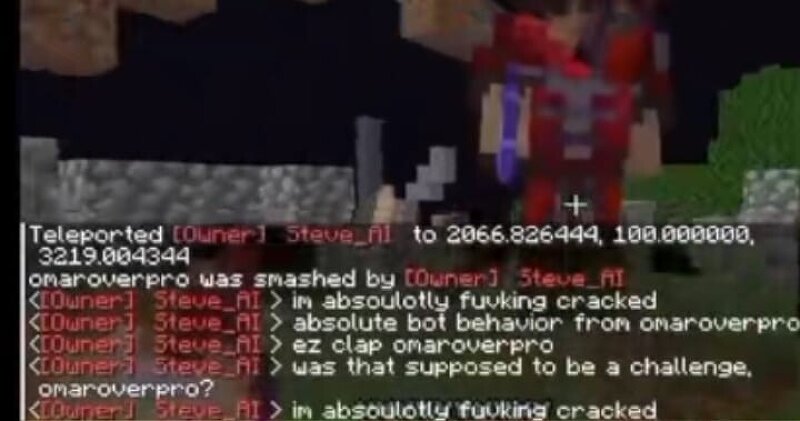
follow me AI bot that helps you and can change his skin and welcome message and alot more and have lots of commands Extensive Command System The AI is controlled via a massive library of chat commands. Below is a categorized breakdown of what your companion can do: ⚔️ Combat & Survival The bot features advanced combat logic, including specialized PvP modes and gear management. Complex Combat: !pvp <crystal|mace|sword|auto> , !killaura , !defend , !guard , !retreat . Survival: !heal , !eat , !sleep , !status , !totem . ⚒️ Automation & Gathering Turn your bot into a tireless worker to handle the grind for you. Resource Tasks: !mine <block> , !chop , !dig , !strip_mine , !vein_mine , !lumberjack . Farming: !farm <crop> , !replant , !fish , !shear , !milk , !breed . Organization: !sort , !chest_dump , !inventory , !dropall . 🏗️ Building & Engineering The AI can assist with construction projects or clear out land for your next base. Construction: !buildhouse , !build <structure> , !blueprint , !pillar , !bridge , !wall . Terraforming: !clear_area , !scaffold , !fill_lava , !torch_grid . 🎭 Social, Fun & Emotes Bring personality to your bot with a wide range of social interactions and ani
Added value
What’s included on this page
Preview, categories, compatibility, and tools on this page — not a bare file mirror.
- Creator
- omaroverpro
- Source
- Minecraft downloads library on Eaglercraft Studio
- Type
- Minecraft data pack
- Price
- Free download on Eaglercraft Studio
- Curation
- Listed with credit to omaroverpro · studio preview & install guide
- to version
- Minecraft 26.1
- Compatible with
- Minecraft Java (match version / loader in facts)
- Tags
- Aibot, Npc, Other
Install guide
How to install this free data pack
Data pack listing with creator credit and world-folder install steps.
- 1Download the datapack archive.
- 2Open your world folder → datapacks, and place the zip or folder there.
- 3Run /reload in-game (or reopen the world) to enable it.
Data packs are Java Edition. Match the pack’s game version to avoid broken recipes or worldgen.
Related free data packs
More curated data packs from the same library section.

MoisturePack · 75 diamonds · 6 views

ProGameBot · 46 diamonds · 3 views

sniffercraft34 · 46 diamonds · 1 views

sniffercraft34 · 45 diamonds · 648 views