
Angles To Projectile Motion (The Lazy Way)
Creator: Aopi · 2025-12-27 · Data packs · Free on Eaglercraft Studio
Download Angles To Projectile Motion (The Lazy Way) — free Minecraft data pack. Created by Aopi. Tagged motion, noresourcepack, tool. Drop into your world’s datapacks folder when the archive is available.
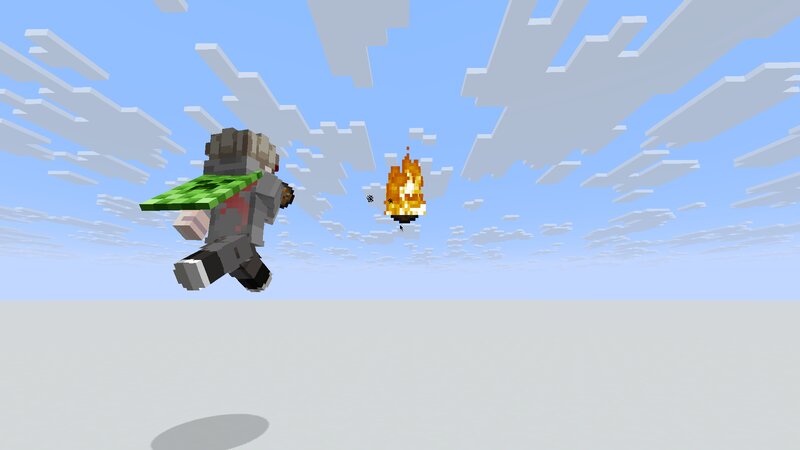
Creator notes
This small, simple datapack hold the easiest way to detect where you are looking and then shoot an entity in that direction. Prior to previous methods that involve using pos values from an entity at 0, 0, or using teleporting and vectors, this method uses Snowballs to achieve the angle, motion and velocity of the projectile, all in one! Here are all of the steps: 1. Detects a snowball with the specific item component tag("minecraft:custom_data:{projectile:1}") 2. Stores the snowballs motion to storage 3. Removes the snowball 4. Summons whatever entity matches the item component "minecraft:item_name" ("minecraft:custom_name" will override the entity name, keeping it clean) 5.Applies the motion of the snowball to the specific entity To get a projectile item, run the command: /function a2pm:give {id:"the mob id that you want without minecraft"} For example: /function a2pm:give {id:"fireball"} or /function a2pm:give {id:"chicken"} If you want to change the item icon, run the command: /data merge entity @n[type=item] {Item:{components:{item_model:"item id }}} For example: /data merge entity @n[type=item] {Item:{components:{item_model:"tnt"}}} or /data merge entity @n[type=item] {Item
Added value
What’s included on this page
Preview, categories, compatibility, and tools on this page — not a bare file mirror.
- Creator
- Aopi
- Source
- Minecraft downloads library on Eaglercraft Studio
- Type
- Minecraft data pack
- Price
- Free download on Eaglercraft Studio
- Curation
- Listed with credit to Aopi · studio preview & install guide
- Compatible with
- Minecraft Java (match version / loader in facts)
- Tags
- Motion, Noresourcepack, Tool
Install guide
How to install this free data pack
Data pack listing with creator credit and world-folder install steps.
- 1Download the datapack archive.
- 2Open your world folder → datapacks, and place the zip or folder there.
- 3Run /reload in-game (or reopen the world) to enable it.
Data packs are Java Edition. Match the pack’s game version to avoid broken recipes or worldgen.
Related free data packs
More curated data packs from the same library section.

MoisturePack · 75 diamonds · 6 views

ProGameBot · 46 diamonds · 3 views

sniffercraft34 · 46 diamonds · 1 views

sniffercraft34 · 45 diamonds · 648 views