
Artemis 26.1 - Legacy Edition - Better Biomes
Creator: MoisturePack · 2026-04-21 · Data packs · Free on Eaglercraft Studio
Download Artemis 26.1 - Legacy Edition - Better Biomes — free Minecraft data pack. Created by MoisturePack. Tagged 26 1 2, biome, biomes, datapack. Drop into your world’s datapacks folder when the archive is available.
Creator notes
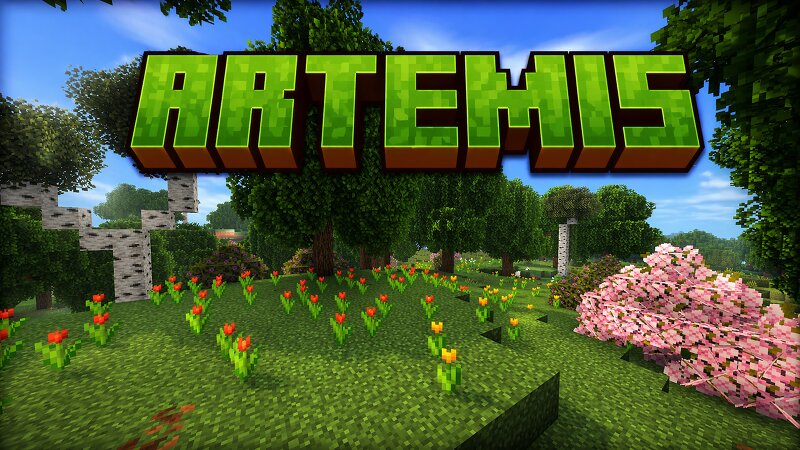
Artemis 26.1 – Better Biomes Created by Zackattack4100 (MC name) / MoisturePack (PMC / Modrinth name) Artemis 26.1 - Better Biomes , is a lightweight worldgen datapack designed to enhance the natural beauty of Minecraft without changing its core gameplay. Every change is crafted to stay true to vanilla, while being more vibrant, immersive and fresh. Artemis highlights Enhanced Biome Colors Every biome has been reworked with subtle but richer sky, fog, and lighting colors to create a more atmospheric and immersive world. Major tree upgrade Nearly every naturally generating tree has been redesigned to be taller, fuller, and more realistic, while still fitting perfectly into Minecraft’s style, no more blocky and annoyingly short trees! Cleaner Terrain Generation Rivers and mountain biomes generate more cleanly for a smoother, more natural look. Immersive Audio Mountain and windswept biomes now feature ambient windy sounds, bringing highlands to life. Dimension Improvements Overworld More vibrant and dynamic biome visuals. Major upgrades to forests and wooded areas. Additionally, improved mangrove swamps to be much less laggy, and more traversable. Cleaner rivers and mountains. Ambient
Added value
What’s included on this page
Preview, categories, compatibility, and tools on this page — not a bare file mirror.
- Creator
- MoisturePack
- Source
- Minecraft downloads library on Eaglercraft Studio
- Type
- Minecraft data pack
- Price
- Free download on Eaglercraft Studio
- Curation
- Listed with credit to MoisturePack · studio preview & install guide
- Compatible with
- Minecraft Java (match version / loader in facts)
- Tags
- 26 1 2, Biome, Biomes, Datapack, End, Nether
Install guide
How to install this free data pack
Data pack listing with creator credit and world-folder install steps.
- 1Download the datapack archive.
- 2Open your world folder → datapacks, and place the zip or folder there.
- 3Run /reload in-game (or reopen the world) to enable it.
Data packs are Java Edition. Match the pack’s game version to avoid broken recipes or worldgen.
Related free data packs
More curated data packs from the same library section.

MoisturePack · 75 diamonds · 6 views

ProGameBot · 46 diamonds · 3 views

sniffercraft34 · 46 diamonds · 1 views

sniffercraft34 · 45 diamonds · 648 views