
Blackhole Launcher
Creator: TheDuckInBlue · 2026-07-02 · Data packs · Free on Eaglercraft Studio
Download Blackhole Launcher — free Minecraft data pack. Created by TheDuckInBlue. Tagged advancements, blackhole, destruction, functions. Drop into your world’s datapacks folder when the archive is available.
Creator notes
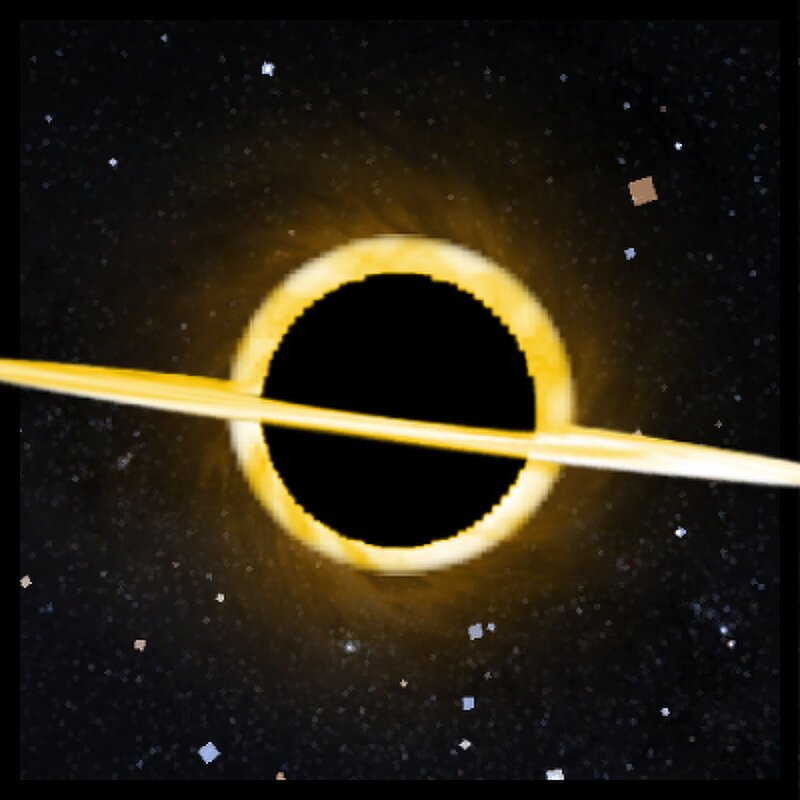
This Datapack adds a destructive Blackhole Launcher that fires a blackhole that will pull in any blocks or entities that come anywhere near it. The Blackhole will continue to grow the more it destroys. How To Use Hold right click to charge the blackhold launcher, after it's done charging it will fire a small blackhole forward and will quickly expand after 2 seconds or once it hits something How To Get The Item There is currently no recipe but you can run /loot give @s loot bhl:blackhole_launcher to spawn one in Installation Resource Pack Go to the versions tab and click the version you want to download and click Download Required Resourcepack. Open Minecraft and navigate to your Resorcepacks Menu. Drag & drop the resorcepack or click open Resorcepack Folder and drag & drop it there. Singleplayer (Existing World) Datapack Download the datapack .zip folder. Open Minecraft and navigate to your Singleplayer world list. Select the world you want to add it to, click Edit, and then click Open World Folder. Find and open the datapacks folder. Move or paste the downloaded .zip file into this folder (you do not need to unzip it). Singleplayer (New World) Datapack Download the datapack .zip f
Added value
What’s included on this page
Preview, categories, compatibility, and tools on this page — not a bare file mirror.
- Creator
- TheDuckInBlue
- Source
- Minecraft downloads library on Eaglercraft Studio
- Type
- Minecraft data pack
- Price
- Free download on Eaglercraft Studio
- Curation
- Listed with credit to TheDuckInBlue · studio preview & install guide
- to version
- Minecraft 26.2
- Compatible with
- Minecraft Java (match version / loader in facts)
- Tags
- Advancements, Blackhole, Destruction, Functions, Gun, Item
Install guide
How to install this free data pack
Data pack listing with creator credit and world-folder install steps.
- 1Download the datapack archive.
- 2Open your world folder → datapacks, and place the zip or folder there.
- 3Run /reload in-game (or reopen the world) to enable it.
Data packs are Java Edition. Match the pack’s game version to avoid broken recipes or worldgen.
Related free data packs
More curated data packs from the same library section.

MoisturePack · 75 diamonds · 6 views

ProGameBot · 46 diamonds · 3 views

sniffercraft34 · 46 diamonds · 1 views

sniffercraft34 · 45 diamonds · 648 views