
block-roulette
Creator: User6462571G · 2026-05-23 · Data packs · Free on Eaglercraft Studio
Download block-roulette — free Minecraft data pack. Created by User6462571G. Tagged challenge, chaos, everyminute, fun. Drop into your world’s datapacks folder when the archive is available.
Creator notes
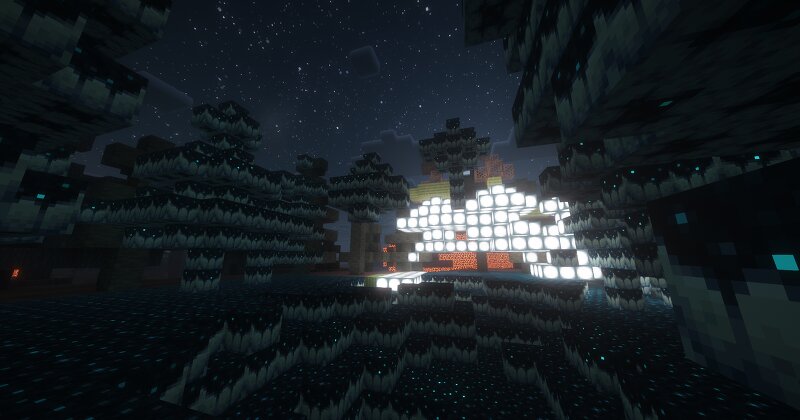
🎲 Block Roulette The world changes into a random block every 60 seconds. Every 60 seconds , all the terrain within a 31×31×31 radius of every player transforms into a completely random block. Diamond, pale oak, creaking heart, dried ghast, sculk... you never know what’s coming next. ✨ Features 101 different blocks rotating randomly All wood types included All copper variants included All tuff variants included Includes the newest 26.1.2 blocks Resin Creaking Heart Dried Ghast Pale Moss Mix of Ores Gems Decorative blocks Terrain blocks Actionbar countdown until the next world change Chat announcement + sound effects Only replaces natural terrain blocks — your builds stay safe 📥 Installation Download the ZIP Put it inside .minecraft/saves/<your-world>/datapacks/ Enter your world and run /reload Done — the first block change happens instantly ⚙️ Commands /function wc:test Force an immediate block change /function wc:debug Show internal timer and current block ID 🎮 Compatibility Minecraft Java Edition 26.1.2 pack_format 101 Single-player compatible Multi-player compatible Works in all dimensions 💡 Tips Great for survival challenges Perfect for YouTube & Twitch content Build shelters us
Added value
What’s included on this page
Preview, categories, compatibility, and tools on this page — not a bare file mirror.
- Creator
- User6462571G
- Source
- Minecraft downloads library on Eaglercraft Studio
- Type
- Minecraft data pack
- Price
- Free download on Eaglercraft Studio
- Curation
- Listed with credit to User6462571G · studio preview & install guide
- Compatible with
- Minecraft Java (match version / loader in facts)
- Tags
- Challenge, Chaos, Everyminute, Fun, Functions, Minigame
Install guide
How to install this free data pack
Data pack listing with creator credit and world-folder install steps.
- 1Download the datapack archive.
- 2Open your world folder → datapacks, and place the zip or folder there.
- 3Run /reload in-game (or reopen the world) to enable it.
Data packs are Java Edition. Match the pack’s game version to avoid broken recipes or worldgen.
Related free data packs
More curated data packs from the same library section.

MoisturePack · 75 diamonds · 6 views

ProGameBot · 46 diamonds · 3 views

sniffercraft34 · 46 diamonds · 1 views

sniffercraft34 · 45 diamonds · 648 views