
BossRush Survival Resource Pack
Creator: User6620593G · 2026-08-04 · Data packs · Free on Eaglercraft Studio
Download BossRush Survival Resource Pack — free Minecraft data pack. Created by User6620593G. Tagged adventure, boss, challenge, custom. Drop into your world’s datapacks folder when the archive is available.
Creator notes
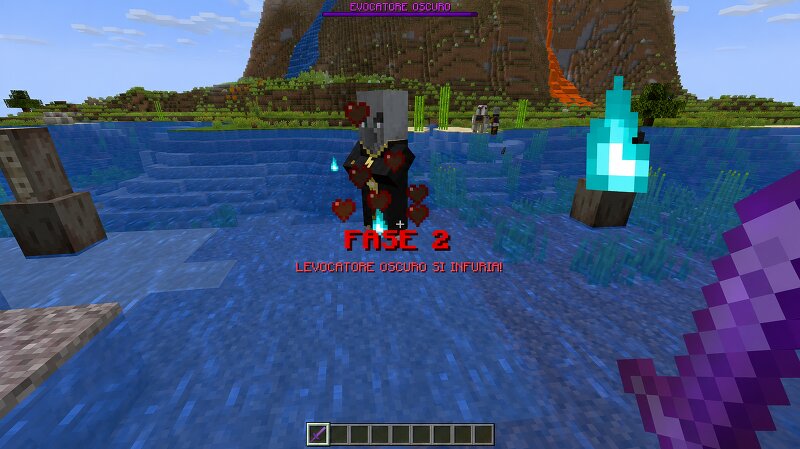
# 🎨 BossRush Survival Resource Pack The official Resource Pack for **BossRush Survival**. This Resource Pack adds all custom textures used by the BossRush Survival datapack, including custom weapons, items and visual effects. Without this Resource Pack, many custom items will use the default Minecraft textures. --- # ✨ Features - ⚔ Custom Weapon Textures - 🎁 Custom Boss Drops - 💎 Custom Items - 👑 High Quality Pixel Art - 🎨 Designed for BossRush Survival --- # 📥 Installation 1. Download the BossRush Survival Resource Pack. 2. Move it into: `.minecraft/resourcepacks/` 3. Enable it from: **Options → Resource Packs** 4. Make sure the **BossRush Survival Datapack** is installed in your world. --- # ⚠️ Required This Resource Pack is required to experience **BossRush Survival** as intended. --- # 🎮 Compatible Version Minecraft Java Edition **1.21.11** --- # 📦 Required Datapack Download the BossRush Survival Datapack here: https://www.planetminecraft.com/data-pack/bossrush-survival-14-custom-bosses-minecraft-1-21-11/ # ❤️ Created by **Quell0simpatic0** Thank you for downloading BossRush Survival Resource Pack!
Added value
What’s included on this page
Preview, categories, compatibility, and tools on this page — not a bare file mirror.
- Creator
- User6620593G
- Source
- Minecraft downloads library on Eaglercraft Studio
- Type
- Minecraft data pack
- Price
- Free download on Eaglercraft Studio
- Curation
- Listed with credit to User6620593G · studio preview & install guide
- to version
- Minecraft 26.2
- Compatible with
- Minecraft Java (match version / loader in facts)
- Tags
- Adventure, Boss, Challenge, Custom, Datapack, Minecraft
Install guide
How to install this free data pack
Data pack listing with creator credit and world-folder install steps.
- 1Download the datapack archive.
- 2Open your world folder → datapacks, and place the zip or folder there.
- 3Run /reload in-game (or reopen the world) to enable it.
Data packs are Java Edition. Match the pack’s game version to avoid broken recipes or worldgen.
Related free data packs
More curated data packs from the same library section.

MoisturePack · 75 diamonds · 6 views

ProGameBot · 46 diamonds · 3 views

sniffercraft34 · 46 diamonds · 1 views

sniffercraft34 · 45 diamonds · 648 views