
Cheaper Anvil — 1-Level Cost
Creator: pan_kotsky · 2026-01-08 · Data packs · Free on Eaglercraft Studio
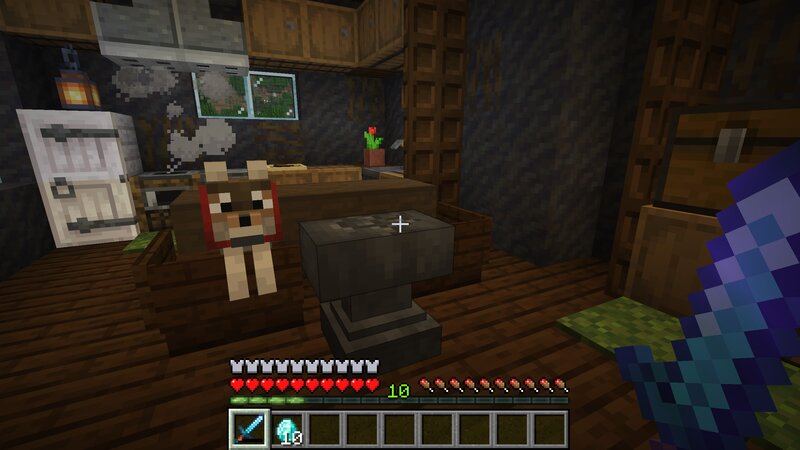
Download Cheaper Anvil — 1-Level Cost — free Minecraft data pack. Created by pan_kotsky. Tagged advancements, anvil, cost, functions. Drop into your world’s datapacks folder when the archive is available.
Creator notes
The direct download is updated for Minecraft 26.3+ . Previous versions ( 1.21–26.2 ) can be downloaded from Modrinth or CurseForge . Anvil work is insanely expensive. Cheaper Anvil makes using an anvil more comfortable without breaking the XP system. No more "Too Expensive!" — removes the accumulated prior work penalty from items. Every successful anvil action costs 1 XP level (rename, repair, combine, apply enchanted books, etc.) Note: You still need to have enough XP levels to perform the operation (usually a few levels). However, the net cost will still be 1 level. Works in singleplayer and multiplayer (no client install needed). Installation Singleplayer 1. Open your world folder: .minecraft/saves/<your_world>/ 2. Put cheaperanvil_v1.0.x.zip into datapacks/ 3. If the world is already loaded, reload it or run /reload Server 1. Put the zip into: <server>/world/datapacks/ 2. Restart the server (or run /reload ).
Added value
What’s included on this page
Preview, categories, compatibility, and tools on this page — not a bare file mirror.
- Creator
- pan_kotsky
- Source
- Minecraft downloads library on Eaglercraft Studio
- Type
- Minecraft data pack
- Price
- Free download on Eaglercraft Studio
- Curation
- Listed with credit to pan_kotsky · studio preview & install guide
- to version
- Minecraft 26.3 snapshot
- Compatible with
- Minecraft Java (match version / loader in facts)
- Tags
- Advancements, Anvil, Cost, Functions, Quality Of Life, Repair
Install guide
How to install this free data pack
Data pack listing with creator credit and world-folder install steps.
- 1Download the datapack archive.
- 2Open your world folder → datapacks, and place the zip or folder there.
- 3Run /reload in-game (or reopen the world) to enable it.
Data packs are Java Edition. Match the pack’s game version to avoid broken recipes or worldgen.
Related free data packs
More curated data packs from the same library section.

MoisturePack · 75 diamonds · 6 views

ProGameBot · 46 diamonds · 3 views

sniffercraft34 · 46 diamonds · 1 views

sniffercraft34 · 45 diamonds · 648 views