
Chunky Pregenerator - World Chunk Pregenerator for Bedrock (BDS & Realms)
Creator: AsLynx · 2026-08-05 · Data packs · Free on Eaglercraft Studio
Download Chunky Pregenerator - World Chunk Pregenerator for Bedrock (BDS & Real — free Minecraft data pack. Created by AsLynx. Tagged functions, world generation. Drop into your world’s datapacks folder when the archive is available.
Creator notes
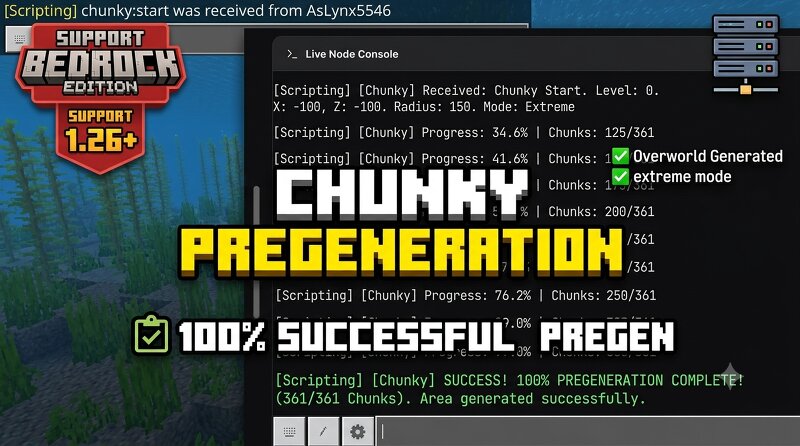
EXPERIMENTAL FEATURE WARNINGThis add-on utilizes experimental Minecraft scripting features and can place heavy demands on your server's CPU. Use it responsibly and adjust the radius according to your server's performance limits.Chunky Bedrock - Stable EditionAn automated world pre-generator add-on designed specifically for Minecraft Bedrock Dedicated Server (BDS).OverviewChunky Bedrock brings the efficiency of Java Edition pre-generator tools directly to Bedrock Dedicated Servers. Say goodbye to lag spikes and unrendered lands caused by fast player exploration. This add-on automatically pre-generates your world in a clean spiral pattern while intelligently protecting your server's CPU performance.Key FeaturesSpiral Generation Pattern: Expands the map smoothly from the center outward to keep memory usage stable.Strict 3D Validation: Guarantees that chunks are fully generated by checking deep bedrock layers, sky boundaries, and corner limits.Smart Auto-Throttle: Automatically detects server latency drops and takes a breather when the CPU is overwhelmed to prevent crashes.Pause & Resume Support: Save and resume your pregeneration anytime using persistent data tracking.Automated RAM/Di
Added value
What’s included on this page
Preview, categories, compatibility, and tools on this page — not a bare file mirror.
- Creator
- AsLynx
- Source
- Minecraft downloads library on Eaglercraft Studio
- Type
- Minecraft data pack
- Price
- Free download on Eaglercraft Studio
- Curation
- Listed with credit to AsLynx · studio preview & install guide
- to version
- Minecraft 26.2
- Compatible with
- Minecraft Java (match version / loader in facts)
- Tags
- Functions, World Generation
Install guide
How to install this free data pack
Data pack listing with creator credit and world-folder install steps.
- 1Download the datapack archive.
- 2Open your world folder → datapacks, and place the zip or folder there.
- 3Run /reload in-game (or reopen the world) to enable it.
Data packs are Java Edition. Match the pack’s game version to avoid broken recipes or worldgen.
Related free data packs
More curated data packs from the same library section.

MoisturePack · 75 diamonds · 6 views

ProGameBot · 46 diamonds · 3 views

sniffercraft34 · 46 diamonds · 1 views

sniffercraft34 · 45 diamonds · 648 views