
Constant Size Change
Creator: RoxanneLapin · 2026-08-10 · Data packs · Free on Eaglercraft Studio
Download Constant Size Change — free Minecraft data pack. Created by RoxanneLapin. Tagged attributes, challenge, functions, funny. Drop into your world’s datapacks folder when the archive is available.
Creator notes
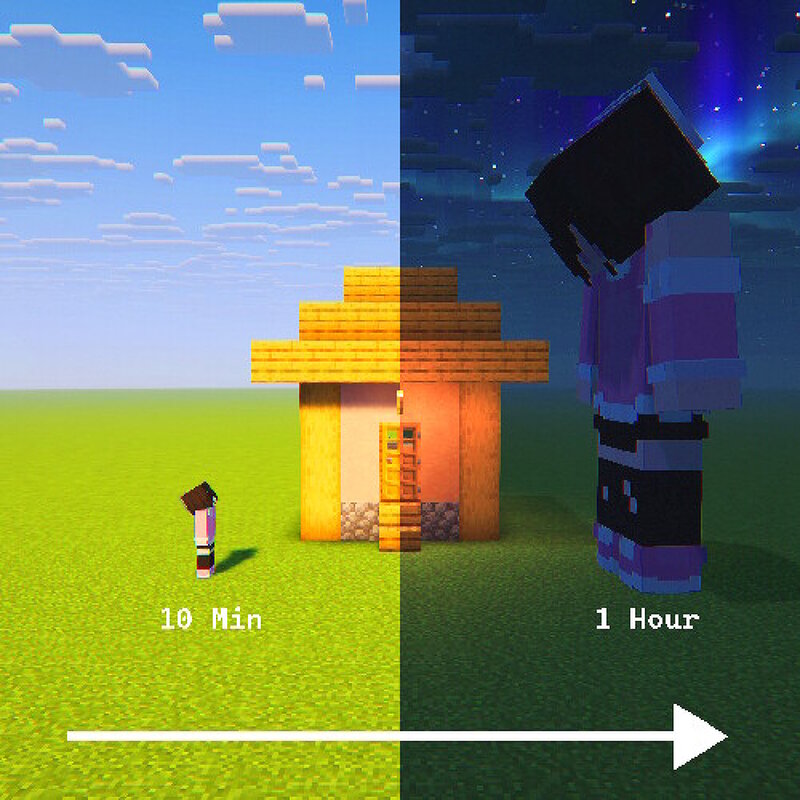
Constant Size Change This datapack allows you to make a player grow or shrink constantly. Other attributes like speed or jumping are scaled with the player size! How to use? ⚠️ YOU NEED OPERATOR PERMISSIONS To make a player shrink or grow, you need to type this command in chat to open the settings menu. /function csc_settings:config On the screen click on: Make a Player Grow or Make a Player Shrink and then enter their username On this screen, you can also change the growth/shrink amount per ticks or reset a player's size. ⚠️ Be aware that changing your scale every tick will make your hitbox glitch through blocks Default Settings Growth : 0.5 / 100 ticks (5 seconds) Time Size Initial 1 10 Minutes 1.6 30 Minutes 2.8 1 Hour 4.6 4.4 Hour 16 Shrinking : 0.1 / 100 ticks (5 seconds) Time Size Initial 1 10 Minutes 0.88 30 Minutes 0.64 1 Hour 0.28 1.30 Hour 0.1 This is my first datapack, so it's not very optimised sorry :P
Added value
What’s included on this page
Preview, categories, compatibility, and tools on this page — not a bare file mirror.
- Creator
- RoxanneLapin
- Source
- Minecraft downloads library on Eaglercraft Studio
- Type
- Minecraft data pack
- Price
- Free download on Eaglercraft Studio
- Curation
- Listed with credit to RoxanneLapin · studio preview & install guide
- to version
- Minecraft 26.3 snapshot
- Compatible with
- Minecraft Java (match version / loader in facts)
- Tags
- Attributes, Challenge, Functions, Funny, Giant, Size
Install guide
How to install this free data pack
Data pack listing with creator credit and world-folder install steps.
- 1Download the datapack archive.
- 2Open your world folder → datapacks, and place the zip or folder there.
- 3Run /reload in-game (or reopen the world) to enable it.
Data packs are Java Edition. Match the pack’s game version to avoid broken recipes or worldgen.
Related free data packs
More curated data packs from the same library section.

MoisturePack · 75 diamonds · 6 views

ProGameBot · 46 diamonds · 3 views

sniffercraft34 · 46 diamonds · 1 views

sniffercraft34 · 45 diamonds · 648 views