
Custom Dimension Template For 1.21.11+
Creator: Talon2863 · 2026-01-16 · Data packs · Free on Eaglercraft Studio
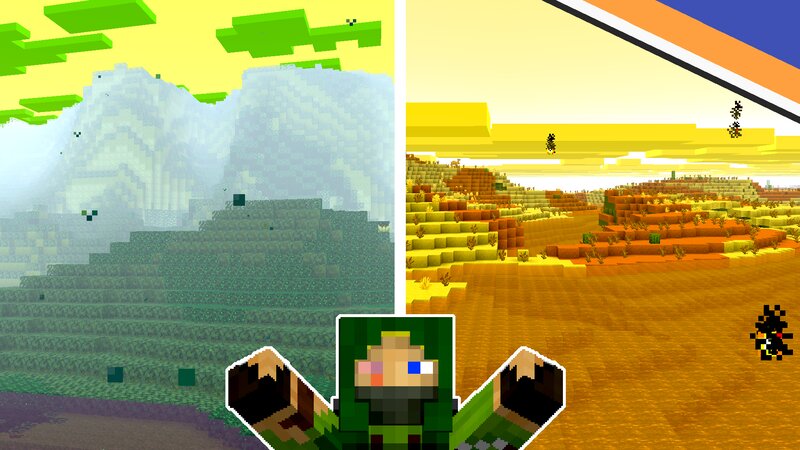
Download Custom Dimension Template For 1.21.11+ — free Minecraft data pack. Created by Talon2863. Tagged other. Drop into your world’s datapacks folder when the archive is available.
Creator notes
Starter datapack for making a custom dimension! Goes along with video tutorial. 00:00 Pre-Dimension Setup - Tp to Dimension: /execute in NAMESPACE:YOUR_DIMENSION_NAME run spreadplayers ~ ~ 10 10 under 384 false @p 02:59 Dimension Type - Environment Attribute List: minecraft.wiki/w/Environment_attribute#List_of_attributes 05:09 Noise Settings (Block Generation) 07:30 Surface Rules - More Info on Surface Rules: minecraft.wiki/w/Surface_rule - Overworld Surface Rules (for biome-specific ones search biome_is): github.com/misode/mcmeta/blob/data/data/minecraft/worldgen/noise_settings/overworld.json - Noise Settings Generator (paste your file in and you can make your own surface rules): misode.github.io/worldgen/noise-settings/ 09:56 Biomes Settings - Color to Number Converter (scroll to bottom): minecraft.wiki/w/Biome_definition#JSON_format - Environment Attribute List: minecraft.wiki/w/Environment_attribute#List_of_attributes 11:59 Biome Features - List of Biome Features: github.com/misode/mcmeta/tree/data/data/minecraft/worldgen/placed_feature - Gen Steps for Features (scroll to bottom): minecraft.wiki/w/Biome_definition#JSON_format 13:36 Biome Mob Spawning - Mob spawn_costs (scroll t
Added value
What’s included on this page
Preview, categories, compatibility, and tools on this page — not a bare file mirror.
- Creator
- Talon2863
- Source
- Minecraft downloads library on Eaglercraft Studio
- Type
- Minecraft data pack
- Price
- Free download on Eaglercraft Studio
- Curation
- Listed with credit to Talon2863 · studio preview & install guide
- Compatible with
- Minecraft Java (match version / loader in facts)
- Tags
- Other
Install guide
How to install this free data pack
Data pack listing with creator credit and world-folder install steps.
- 1Download the datapack archive.
- 2Open your world folder → datapacks, and place the zip or folder there.
- 3Run /reload in-game (or reopen the world) to enable it.
Data packs are Java Edition. Match the pack’s game version to avoid broken recipes or worldgen.
Related free data packs
More curated data packs from the same library section.

MoisturePack · 75 diamonds · 6 views

ProGameBot · 46 diamonds · 3 views

sniffercraft34 · 46 diamonds · 1 views

sniffercraft34 · 45 diamonds · 648 views