
CustomRage
Creator: hearin513 · 2026-09-18 · Data packs · Free on Eaglercraft Studio
Download CustomRage — free Minecraft data pack. Created by hearin513. Tagged advancements, adventure, functions, loot tables. Drop into your world’s datapacks folder when the archive is available.
Creator notes
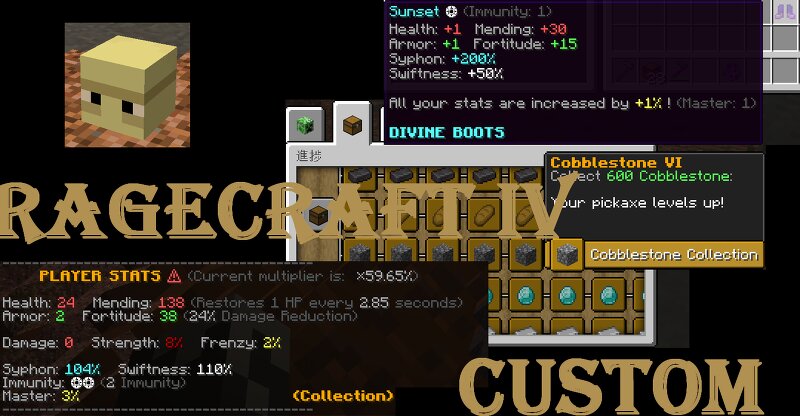
This datapack adds completely new elements to Ragecraft IV. Let's go search for a map called “Ragecraft IV” and download it. (I am not the creator of that world.) It significantly changes the original Ragecraft IV gameplay experience. I believe there are no bugs, but... hopefully there aren't any. ******************** IMPORTANT ******************** First, please note that this datapack was designed to be used with a fresh world, so it is not recommended to install it on a world that you are already playing. This datapack is not intended to be used with: !!! Ragecraft's default weapons, armors, bows, and pickaxes !!! Rune usage However, some of these features have been left functional because some people may still want to use them, while others remain functional due to technical limitations!They have not been balanced at all, so use them at your own discretion. (Of course, you can use Offhand Items, Infinite Potions, spell wands, and so on.) ****************************************************** To use this, simply copy the "rc4", "CustomRage", "src4.graves" and "suso.mod_warn" folders and paste them into the datapacks/ folder of the new Ragecraft world. If you are playing this data
Added value
What’s included on this page
Preview, categories, compatibility, and tools on this page — not a bare file mirror.
- Creator
- hearin513
- Source
- Minecraft downloads library on Eaglercraft Studio
- Type
- Minecraft data pack
- Price
- Free download on Eaglercraft Studio
- Curation
- Listed with credit to hearin513 · studio preview & install guide
- Compatible with
- Minecraft Java (match version / loader in facts)
- Tags
- Advancements, Adventure, Functions, Loot Tables, Predicates, Ragecraft
Install guide
How to install this free data pack
Data pack listing with creator credit and world-folder install steps.
- 1Download the datapack archive.
- 2Open your world folder → datapacks, and place the zip or folder there.
- 3Run /reload in-game (or reopen the world) to enable it.
Data packs are Java Edition. Match the pack’s game version to avoid broken recipes or worldgen.
Related free data packs
More curated data packs from the same library section.

MoisturePack · 75 diamonds · 6 views

ProGameBot · 46 diamonds · 3 views

sniffercraft34 · 46 diamonds · 1 views

sniffercraft34 · 45 diamonds · 648 views