
⚔️ Damage = Lose Items Challenge – Can You Beat Minecraft Without Getting Hit?
Creator: Heykikoo · 2026-03-09 · Data packs · Free on Eaglercraft Studio
Download ⚔️ Damage = Lose Items Challenge – Can You Beat Minecraft Without Gett — free Minecraft data pack. Created by Heykikoo. Tagged challenge, datapack, difficulty, functions. Drop into your world’s datapacks folder when the archive is available.
Creator notes
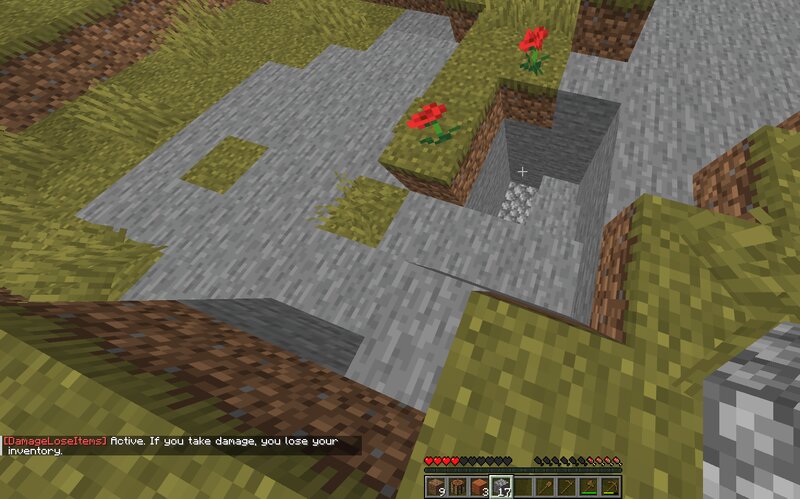
⚔️ Damage = Lose Items Challenge (Minecraft Datapack) This datapack creates a brutal survival challenge. Whenever a player takes damage, their entire inventory is instantly removed . This applies to all players in the world. Even the smallest amount of damage will cause you to lose everything you are carrying. 💬 Chat Notification When someone takes damage, a message appears in chat: PlayerName has taken damage. This lets everyone know exactly who triggered the challenge mechanic. 🎮 Challenge Idea Try beating Minecraft while avoiding any damage at all . Even a small hit from: mobs fall damage lava fire explosions will cause you to lose everything in your inventory. ⚙️ Features ✔ Works for all players ✔ Automatic damage detection ✔ Chat notification when damage occurs ✔ Lightweight datapack ✔ Works in singleplayer and multiplayer 📦 Installation Download the datapack Place it in your world folder: .minecraft/saves/YOUR_WORLD/datapacks Run the command: /reload The challenge will now be active. 📌 Version Minecraft Java Edition 1.21.11 👤 Creator Created by Heykikoo
Added value
What’s included on this page
Preview, categories, compatibility, and tools on this page — not a bare file mirror.
- Creator
- Heykikoo
- Source
- Minecraft downloads library on Eaglercraft Studio
- Type
- Minecraft data pack
- Price
- Free download on Eaglercraft Studio
- Curation
- Listed with credit to Heykikoo · studio preview & install guide
- Compatible with
- Minecraft Java (match version / loader in facts)
- Tags
- Challenge, Datapack, Difficulty, Functions, Game Mechanic, Hardcore
Install guide
How to install this free data pack
Data pack listing with creator credit and world-folder install steps.
- 1Download the datapack archive.
- 2Open your world folder → datapacks, and place the zip or folder there.
- 3Run /reload in-game (or reopen the world) to enable it.
Data packs are Java Edition. Match the pack’s game version to avoid broken recipes or worldgen.
Related free data packs
More curated data packs from the same library section.

MoisturePack · 75 diamonds · 6 views

ProGameBot · 46 diamonds · 3 views

sniffercraft34 · 46 diamonds · 1 views

sniffercraft34 · 45 diamonds · 648 views