
DMCW: Red Queen - For; 26.2
Creator: Benjamin_Nicro · 2026-05-23 · Data packs · Free on Eaglercraft Studio
Download DMCW: Red Queen - For; 26.2 — free Minecraft data pack. Created by Benjamin_Nicro. Tagged advancements, armas, capcom, devil. Drop into your world’s datapacks folder when the archive is available.
Creator notes
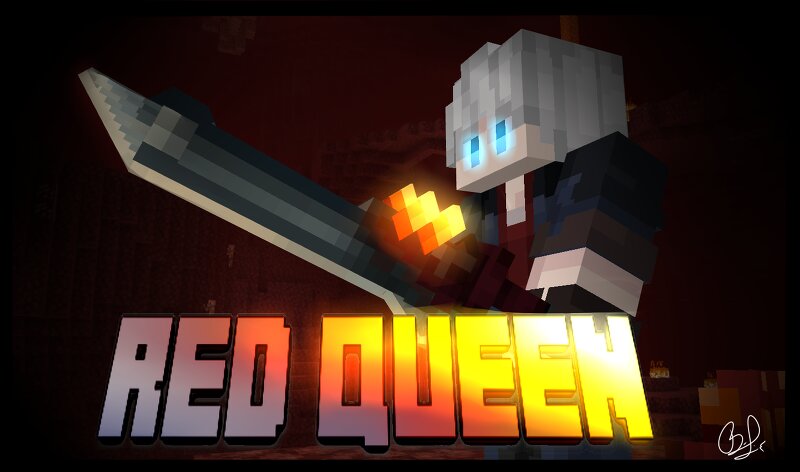
This datapack is inspired by the Devil May Cry saga, adding the "Red Queen" weapon from Devil May Cry 5. Along with the weapon comes the moveset for the character "Nero" featuring most of the moves from Red Queen, Exceed, Devil Breakers, Blue Rose, and Devil Trigger. It also allows you to edit the order of the Devil Breakers in survival mode. The datapack relies on a Resourcepack; upon downloading the contents, the ZIP file will contain the Datapack and Resourcepack folders, which you should then move to their respective folders. The Datapack and Resourcepack were created using the latest Snapshots, so it will only be compatible with the latest version due to changes in the Predicate system. Therefore, it will be fully compatible with version 26.2 (Chaos Cubed). When creating the Red Queen weapon (whose recipe is given to the player at the start of the world), you will be given instructions on how to use the weapon. The guide is adapted to English and Spanish; if you have any questions, please ask privately. Este datapack esta inspirado en la saga de Devil May Cry, añadiendo el arma "Red Queen" del juego Devil May Cry 5, junto al arma viene incluido el set de movimientos del person
Added value
What’s included on this page
Preview, categories, compatibility, and tools on this page — not a bare file mirror.
- Creator
- Benjamin_Nicro
- Source
- Minecraft downloads library on Eaglercraft Studio
- Type
- Minecraft data pack
- Price
- Free download on Eaglercraft Studio
- Curation
- Listed with credit to Benjamin_Nicro · studio preview & install guide
- Compatible with
- Minecraft Java (match version / loader in facts)
- Tags
- Advancements, Armas, Capcom, Devil, Devilmaycry, Fantasy
Install guide
How to install this free data pack
Data pack listing with creator credit and world-folder install steps.
- 1Download the datapack archive.
- 2Open your world folder → datapacks, and place the zip or folder there.
- 3Run /reload in-game (or reopen the world) to enable it.
Data packs are Java Edition. Match the pack’s game version to avoid broken recipes or worldgen.
Related free data packs
More curated data packs from the same library section.

MoisturePack · 75 diamonds · 6 views

ProGameBot · 46 diamonds · 3 views

sniffercraft34 · 46 diamonds · 1 views

sniffercraft34 · 45 diamonds · 648 views