
Dragon Assist – Ender Dragon Support Book (Locate, Ore Highlight & More)
Creator: kuwaoji · 2026-07-19 · Data packs · Free on Eaglercraft Studio
Download Dragon Assist – Ender Dragon Support Book (Locate, Ore Highlight & Mor — free Minecraft data pack. Created by kuwaoji. Tagged challenge, functions. Drop into your world’s datapacks folder when the archive is available.
Creator notes
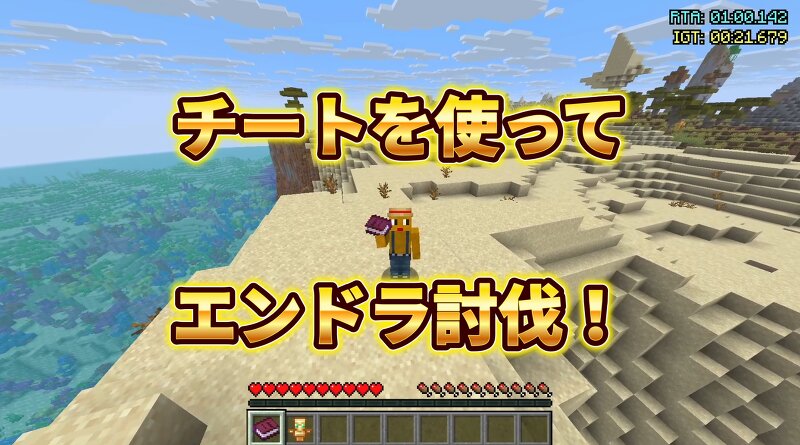
================================================== FOR MINECRAFT JAVA 1.21.7 – 1.21.8 ONLY 対応バージョン:Minecraft Java 1.21.7 – 1.21.8 のみ ================================================== (PMC's version selector only shows "1.21", so please check here. PMCのバージョン選択では「1.21」しか出ませんが、実際の対応は上記のとおりです。) # Dragon Assist(エンドラ討伐 支援チート) エンダードラゴン討伐を「チートで手助け」するデータパックです。配られる1冊の「支援ブック」のページ項目をクリックするだけで、たくさんの便利機能が使えます。鬼畜企画の逆、"イージー化"企画向け。初心者やタイム計測プレイに最適です。MOD不要のバニラ対応。 ## 機能(本の項目をクリック) - 🗺 位置ナビ:村/砦の遺跡(金)/ネザー要塞/要塞(エンドポータル)/ゆがんだ森/廃ポータル の方向をパーティクル+距離で表示(廃ポータルは長距離検索・近くに溶岩が多い) - ⛏ 鉱石ハイライト:金/鉄/ダイヤ/ネザライトを壁越しに発光表示(範囲40・約10秒) - 📍 座標HUD:アクションバーに座標を表示/非表示 - 🧭 ネザー座標換算:現世⇄ネザーを自動換算 - ⚔ 難易度変更:イージー/ノーマル/ハード - 🛡 支援トーテム:本と一緒に配布。オフハンドに持つと死亡時1回復活+大回復(本が誤爆で開かないよう別アイテム化) - 🗡 支援の剣:ドロップ増加III・火属性IIの鉄の剣 ## 前提 - Minecraft Java 1.21.7 – 1.21.8(pack_format 81) - チート(コマンド)ON必須 - マルチ対応(ホストがONなら全員に適用) - リソースパック/MOD不要 ## 導入 1. dragon_assist.zip をワールドの datapacks フォルダへ 2. /reload するか、ワールドに入り直す 3. 支援ブックと支援トーテムが自動配布(本は右クリックで開く) ## コマンド - /function dragon_assist:help - /function dragon_assist:give_book - /function dragon_assist:hud/toggle - /function dragon_assist:nether_calc # Dragon Assist – Ender Dragon Support Cheat Beat the Ender Dragon
Added value
What’s included on this page
Preview, categories, compatibility, and tools on this page — not a bare file mirror.
- Creator
- kuwaoji
- Source
- Minecraft downloads library on Eaglercraft Studio
- Type
- Minecraft data pack
- Price
- Free download on Eaglercraft Studio
- Curation
- Listed with credit to kuwaoji · studio preview & install guide
- Compatible with
- Minecraft Java (match version / loader in facts)
- Tags
- Challenge, Functions
Install guide
How to install this free data pack
Data pack listing with creator credit and world-folder install steps.
- 1Download the datapack archive.
- 2Open your world folder → datapacks, and place the zip or folder there.
- 3Run /reload in-game (or reopen the world) to enable it.
Data packs are Java Edition. Match the pack’s game version to avoid broken recipes or worldgen.
Related free data packs
More curated data packs from the same library section.

MoisturePack · 75 diamonds · 6 views

ProGameBot · 46 diamonds · 3 views

sniffercraft34 · 46 diamonds · 1 views

sniffercraft34 · 45 diamonds · 648 views