
Easy rank prefixes
Creator: Pandoggie · 2026-04-20 · Data packs · Free on Eaglercraft Studio
Download Easy rank prefixes — free Minecraft data pack. Created by Pandoggie. Tagged functions, other, ranks. Drop into your world’s datapacks folder when the archive is available.
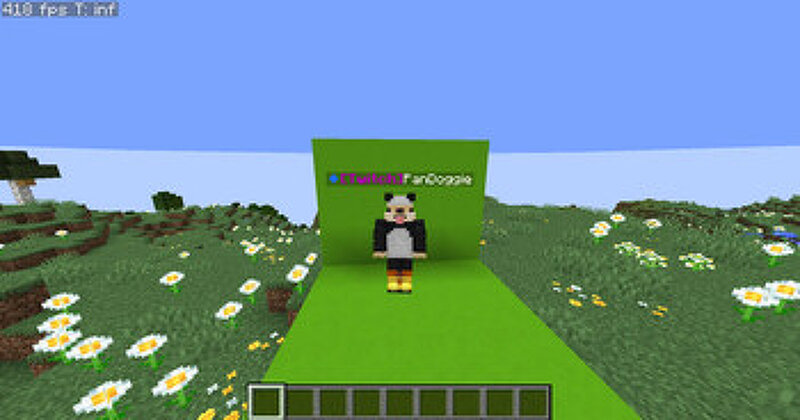
Creator notes
This datapack is purely visual and does not edit permissions in game So this datapack makes it easier to add rank prefixes in minecraft there are a few prefixes I added there are: Admin, Developer, Member, Player (it was mostly used for debugging), Helper, Moderator, Owner, Builder, Youtuber, Twitch, VIP, VIP+, VIP++, MVP, MVP+, MVP++, Legend, God, Mythic, divine. In order to give someone a rank use: /tag <playername> add <Rank> to remove the rank use: /tag <playername> remove <Rank> fill in the <Rank> with any of the ranks above you have to type the first letter of the rank uppercase and the rest lowercase or it wont work run the command: /function ranks:choose_rank_color all available colors are: red, dark red, blue, dark blue, green, dark green, aqua, dark aqua, yellow, gold (looks like orange), light purple (looks like pink), dark pink, gray, dark gray, to open a chat message saying "[click to Choose rank colors]" once clicked you will get a menu with all the ranks and all the available colors click on the color you want, for each rank the default colors are: Player: gray Member: gray Owner: gold Developer: aqua Builder: green Youtuber: red Twitch: dark purple VIP: yellow VIP+
Added value
What’s included on this page
Preview, categories, compatibility, and tools on this page — not a bare file mirror.
- Creator
- Pandoggie
- Source
- Minecraft downloads library on Eaglercraft Studio
- Type
- Minecraft data pack
- Price
- Free download on Eaglercraft Studio
- Curation
- Listed with credit to Pandoggie · studio preview & install guide
- Compatible with
- Minecraft Java (match version / loader in facts)
- Tags
- Functions, Other, Ranks
Install guide
How to install this free data pack
Data pack listing with creator credit and world-folder install steps.
- 1Download the datapack archive.
- 2Open your world folder → datapacks, and place the zip or folder there.
- 3Run /reload in-game (or reopen the world) to enable it.
Data packs are Java Edition. Match the pack’s game version to avoid broken recipes or worldgen.
Related free data packs
More curated data packs from the same library section.

MoisturePack · 75 diamonds · 6 views

ProGameBot · 46 diamonds · 3 views

sniffercraft34 · 46 diamonds · 1 views

sniffercraft34 · 45 diamonds · 648 views