
EasyUI+
Creator: MASTERGHOST · 2026-02-18 · Data packs · Free on Eaglercraft Studio
Download EasyUI+ — free Minecraft data pack. Created by MASTERGHOST. Tagged chest, configurable, datapack, detect. Drop into your world’s datapacks folder when the archive is available.
Creator notes
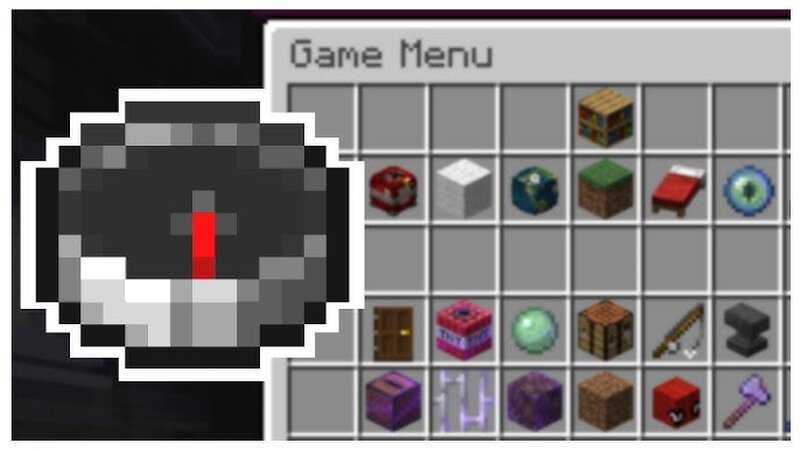
Want to add a UI to your datapack/world? Make an autoclicker game? (I will make one using this datapack :) ) Then this datapack is the right answer for you! !This datapack is designed for datapack, map, and server creators who have experience with Minecraft commands! If you want to create a UI without using commands, leave a comment here or on my profile and I’ll make another datapack for it The chest minecart (and others) are invisible and do not affect your world’s minecarts Comes with examples that can already be tested in your world The datapack is fully commented for the curious Will get regular updates (including bug fixes if you find any) multiplayer compatible optimized Always include information about modifications to previous UI projects in the updates Read (more detailed): geral_info.md UPDATES [1.1.2] (Old updates are listed in geral_info.md) - updated geral_info.md for better clarity - Removed minecraft/tags/entity - Optimized and easier to use (now uses storage instead of entity NBT) - Now the item only requires custom_data={ui:1} - Removed [OLD_METHOD] and [NEW_METHOD] from functions.md - Updated comments - If the player loses the UI item, the tag @p remove menu i
Added value
What’s included on this page
Preview, categories, compatibility, and tools on this page — not a bare file mirror.
- Creator
- MASTERGHOST
- Source
- Minecraft downloads library on Eaglercraft Studio
- Type
- Minecraft data pack
- Price
- Free download on Eaglercraft Studio
- Curation
- Listed with credit to MASTERGHOST · studio preview & install guide
- Compatible with
- Minecraft Java (match version / loader in facts)
- Tags
- Chest, Configurable, Datapack, Detect, Functions, Invisible Minecarts
Install guide
How to install this free data pack
Data pack listing with creator credit and world-folder install steps.
- 1Download the datapack archive.
- 2Open your world folder → datapacks, and place the zip or folder there.
- 3Run /reload in-game (or reopen the world) to enable it.
Data packs are Java Edition. Match the pack’s game version to avoid broken recipes or worldgen.
Related free data packs
More curated data packs from the same library section.

MoisturePack · 75 diamonds · 6 views

ProGameBot · 46 diamonds · 3 views

sniffercraft34 · 46 diamonds · 1 views

sniffercraft34 · 45 diamonds · 648 views