
Endeavor - Improved End Dimension
Creator: MoisturePack · 2026-07-13 · Data packs · Free on Eaglercraft Studio
Download Endeavor - Improved End Dimension — free Minecraft data pack. Created by MoisturePack. Tagged advancements, configurable, dimension, end. Drop into your world’s datapacks folder when the archive is available.
Creator notes
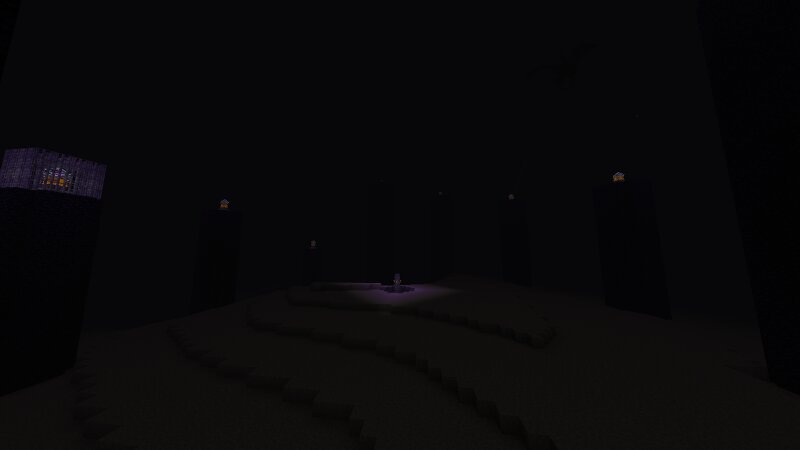
Endeavor – An End Dimension Improvement for Minecraft Java 26.2 Created by Zackattack4100 (MC name) / MoisturePack (PMC / Modrinth name) Endeavor is a complete overhaul of the End's terrain generation and atmosphere, designed to make every visit feel more immersive and adventurous while staying true to vanilla Minecraft. Unlike many End overhauls, Endeavor doesn't add any new biomes, blocks, items, or mobs. Instead, it enhances what already exists, creating a dimension that feels larger, more alive, and more enjoyable to explore. Features Improved terrain generation with larger, more interesting landforms Enhanced atmosphere and more immersive landscapes Optional vertical travel between the Overworld and the End Optional Ender Dragon Elytra reward Fully configurable gameplay features Multiplayer compatible Vanilla client compatible Survival friendly A Better End The main island is more dramatic. Outer islands are more varied and reminiscent of space Terrain has greater verticality, making exploration more visually appealing while preserving Minecraft's familiar vanilla aesthetic. Atmosphere of every end biome has been adjusted to be more immersive. Vertical Dimension Travel Endeavo
Added value
What’s included on this page
Preview, categories, compatibility, and tools on this page — not a bare file mirror.
- Creator
- MoisturePack
- Source
- Minecraft downloads library on Eaglercraft Studio
- Type
- Minecraft data pack
- Price
- Free download on Eaglercraft Studio
- Curation
- Listed with credit to MoisturePack · studio preview & install guide
- Compatible with
- Minecraft Java (match version / loader in facts)
- Tags
- Advancements, Configurable, Dimension, End, Ender, Functions
Install guide
How to install this free data pack
Data pack listing with creator credit and world-folder install steps.
- 1Download the datapack archive.
- 2Open your world folder → datapacks, and place the zip or folder there.
- 3Run /reload in-game (or reopen the world) to enable it.
Data packs are Java Edition. Match the pack’s game version to avoid broken recipes or worldgen.
Related free data packs
More curated data packs from the same library section.

MoisturePack · 75 diamonds · 6 views

ProGameBot · 46 diamonds · 3 views

sniffercraft34 · 46 diamonds · 1 views

sniffercraft34 · 45 diamonds · 648 views