
Ender Pearl Rework
Creator: SkeletonToast · 2026-07-11 · Data packs · Free on Eaglercraft Studio
Download Ender Pearl Rework — free Minecraft data pack. Created by SkeletonToast. Tagged ender pearl, ender pearls, item, items. Drop into your world’s datapacks folder when the archive is available.
Creator notes
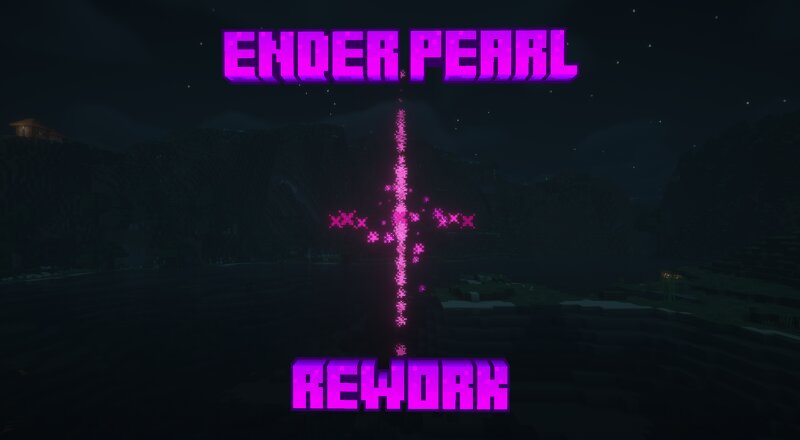
SkeletonToast's Ender Pearl Rework Sometimes, especially in survival multiplayer settings, ender pearls end up being a little too useful. Players can use them to instantly escape fights (often undetectably if their enemy isn't prepared), appear and attack without warning, and even use in stasis chambers to cover infinite distances and escape from even the best prisons. Ender Pearl Rework addresses these issues, and directly changes the functionality of ender pearls. With this pack installed, Ender Pearls are no longer throwable items; instead, they're changed to consumables that simply teleport the player upon use. Using an ender pearl will teleport the player a short distance forward (or stop them if they run into a solid block), and cause a trail of particles to follow them for a couple seconds after teleporting. This means that Ender Pearls can now ONLY be used to cover short distances, and teleporting players can be tracked slightly more easily after teleporting. As a result of this, ender pearl "stasis chambers" no longer function, because ender pearls no longer exist as throwable entities. This pack was designed for a server of mine, but I imagine many others could find some
Added value
What’s included on this page
Preview, categories, compatibility, and tools on this page — not a bare file mirror.
- Creator
- SkeletonToast
- Source
- Minecraft downloads library on Eaglercraft Studio
- Type
- Minecraft data pack
- Price
- Free download on Eaglercraft Studio
- Curation
- Listed with credit to SkeletonToast · studio preview & install guide
- to version
- Minecraft 26.2
- Compatible with
- Minecraft Java (match version / loader in facts)
- Tags
- Ender Pearl, Ender Pearls, Item, Items, Other, Smp
Install guide
How to install this free data pack
Data pack listing with creator credit and world-folder install steps.
- 1Download the datapack archive.
- 2Open your world folder → datapacks, and place the zip or folder there.
- 3Run /reload in-game (or reopen the world) to enable it.
Data packs are Java Edition. Match the pack’s game version to avoid broken recipes or worldgen.
Related free data packs
More curated data packs from the same library section.

MoisturePack · 75 diamonds · 6 views

ProGameBot · 46 diamonds · 3 views

sniffercraft34 · 46 diamonds · 1 views

sniffercraft34 · 45 diamonds · 648 views