
Entity Healthbar
Creator: GamingFervor · 2026-05-14 · Data packs · Free on Eaglercraft Studio
Download Entity Healthbar — free Minecraft data pack. Created by GamingFervor. Tagged functions, quality of life. Drop into your world’s datapacks folder when the archive is available.
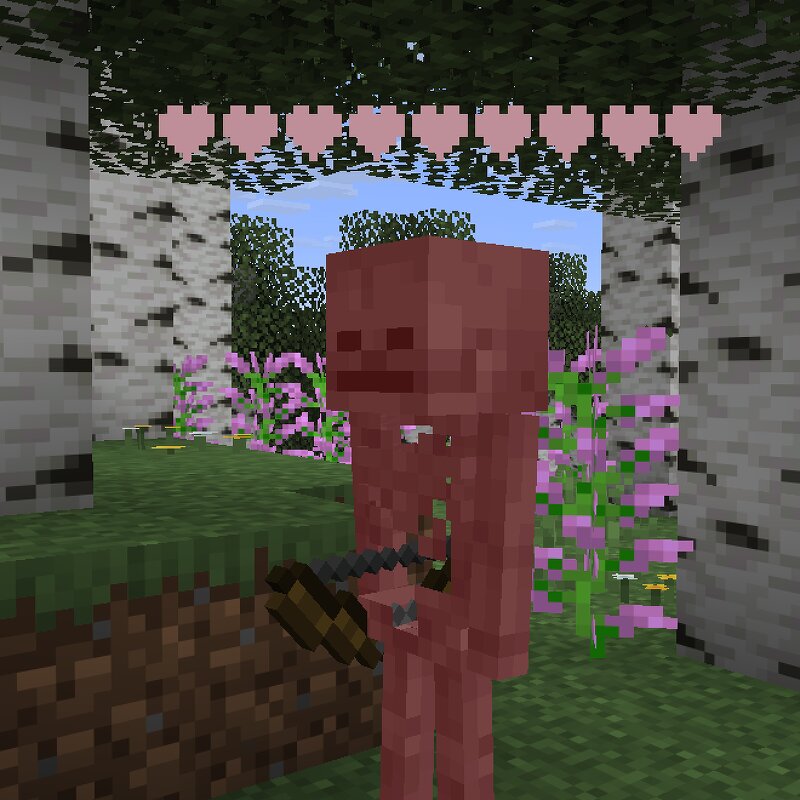
Creator notes
This datapack currently gives you 96 different combinations of options to set the text display that spawns when something gets damaged. You choose from 6 styles, 8 colors, and wether you want it to be bold or not. Minecraft version 1.21.6 and up lets you use a dialog to configure each option for quick and easy use! P.S. you will need cheats enabled to configure the bar, but do not always need cheats to see them. Set Up: No set up required, works out of the box displaying non bolden red hearts when something takes damage above their head. Config: Dialog menu accessible on Minecraft version 1.21.6 and up with this command: /dialog show @s entityhealthbar:healthbar_config_style Requires OP or cheats enabled on local world. Function commands accessible on all Minecraft versions: ❤❤❤❤❤❤❤❤❤❤ /function entityhealthbar:style1 ▉▉▉▉▉▉▉▉▉▉ /function entityhealthbar:style2 ⚫⚫⚫⚫⚫⚫⚫⚫⚫⚫ /function entityhealthbar:style3 ♦♦♦♦♦♦♦♦♦♦ /function entityhealthbar:style4 ♣♣♣♣♣♣♣♣♣♣ /function entityhealthbar:style5 ♠♠♠♠♠♠♠♠♠♠ /function entityhealthbar:style6 /function entityhealthbar:bold /function entityhealthbar:notbold /function entityhealthbar:color<1-8> See image above for which number corresponds to
Added value
What’s included on this page
Preview, categories, compatibility, and tools on this page — not a bare file mirror.
- Creator
- GamingFervor
- Source
- Minecraft downloads library on Eaglercraft Studio
- Type
- Minecraft data pack
- Price
- Free download on Eaglercraft Studio
- Curation
- Listed with credit to GamingFervor · studio preview & install guide
- to version
- Minecraft 26.3 snapshot
- Compatible with
- Minecraft Java (match version / loader in facts)
- Tags
- Functions, Quality Of Life
Install guide
How to install this free data pack
Data pack listing with creator credit and world-folder install steps.
- 1Download the datapack archive.
- 2Open your world folder → datapacks, and place the zip or folder there.
- 3Run /reload in-game (or reopen the world) to enable it.
Data packs are Java Edition. Match the pack’s game version to avoid broken recipes or worldgen.
Related free data packs
More curated data packs from the same library section.

MoisturePack · 75 diamonds · 6 views

ProGameBot · 46 diamonds · 3 views

sniffercraft34 · 46 diamonds · 1 views

sniffercraft34 · 45 diamonds · 648 views