
Fractures - Shelved
Creator: Rosyfia · 2026-03-07 · Data packs · Free on Eaglercraft Studio
Download Fractures - Shelved — free Minecraft data pack. Created by Rosyfia. Tagged brush, display, functions, shelf. Drop into your world’s datapacks folder when the archive is available.
Creator notes
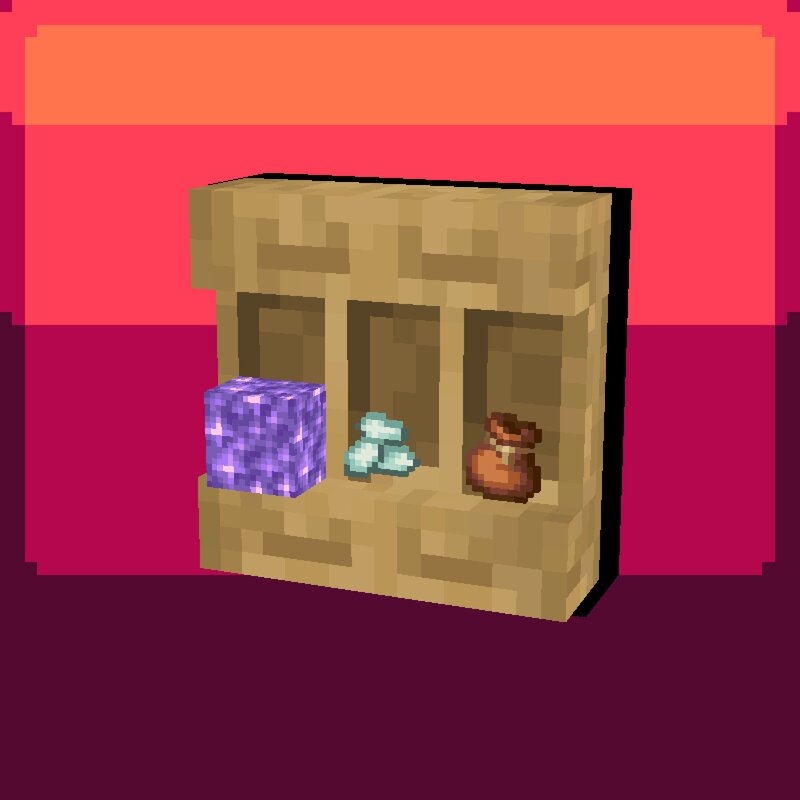
Brush your Shelves! By using a brush on a shelf block, you can change the display position of the items in the shelf from the center to bottom, and vice versa. Please note that for this to work the players head must be within the same block as the shelf. Shelved & Shelved + Resource Packs These Resource Packs additionally make changes to the way blocks are displayed within a shelf, making them smaller (3x3 pixels instead of 4x4) and not clip into the shelf. Shelved + adds support for other Fractures Series packs, such as vertical fence posts. To use the Texture Pack move the zip file to the Minecraft Resource Pack folder (User > AppData > Roaming > .minecraft > resourcepacks), right click the zip file, and select "Extract All". The Texture Pack should now show up in Minecraft! (you can also locate the folder by going to Resource Packs in the Minecraft Options and selecting the "Open Pack Folder" Button on the bottom left of the Screen, where you can then Copy/Cut & Paste the file) Note that this Pack only works for Minecraft: Java Edition
Added value
What’s included on this page
Preview, categories, compatibility, and tools on this page — not a bare file mirror.
- Creator
- Rosyfia
- Source
- Minecraft downloads library on Eaglercraft Studio
- Type
- Minecraft data pack
- Price
- Free download on Eaglercraft Studio
- Curation
- Listed with credit to Rosyfia · studio preview & install guide
- to version
- Minecraft 26.1
- Compatible with
- Minecraft Java (match version / loader in facts)
- Tags
- Brush, Display, Functions, Shelf, Simple
Install guide
How to install this free data pack
Data pack listing with creator credit and world-folder install steps.
- 1Download the datapack archive.
- 2Open your world folder → datapacks, and place the zip or folder there.
- 3Run /reload in-game (or reopen the world) to enable it.
Data packs are Java Edition. Match the pack’s game version to avoid broken recipes or worldgen.
Related free data packs
More curated data packs from the same library section.

MoisturePack · 75 diamonds · 6 views

ProGameBot · 46 diamonds · 3 views

sniffercraft34 · 46 diamonds · 1 views

sniffercraft34 · 45 diamonds · 648 views