
Frozen Nether Roof
Creator: Braytonk · 2026-06-13 · Data packs · Free on Eaglercraft Studio
Download Frozen Nether Roof — free Minecraft data pack. Created by Braytonk. Tagged advancements, mobs, structures, world generation. Drop into your world’s datapacks folder when the archive is available.
Creator notes
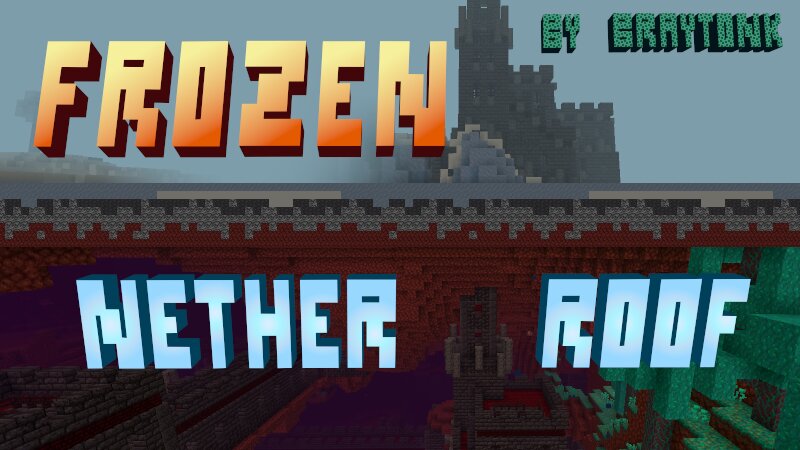
Braytonk's Frozen Nether Roof This datapack adds a frozen sub-dimension on top of the Nether roof, which can be accessed through the new Nether Gateway structures that generate throughout the Nether. In this frigid wasteland, you can find new biomes, mobs, and Stray Tower structures containing a unique miniboss fight. Biomes Ice Flows The first biome you will encounter, the Ice Flows, are a network of icy pathways spreading across the Nether roof. Breaking through the ice with jagged spikes, you will find its two sub-biomes, the Ice Pillars and the Basalt Pillars. Frozen Wastes The frigid mirror to the familiar Nether Wastes, the Frozen Wastes are a barren expanse of snow sprinkled with pockets of powdered snow. Icecap Forest Breaking the monotony of the endless wastes, the Icecap Forests spring up from soulsand patches with strange basalt and ice tree-like features. Blackstone Peaks Cutting deep into the frozen Nether sky, these menacing mountain ranges are formed from the underlying blackstone. A long fall is not the only danger that awaits you in these precipitous heights. Structures Nether Gateway These imposing spires connect the lower Nether to its frozen roof, and are locate
Added value
What’s included on this page
Preview, categories, compatibility, and tools on this page — not a bare file mirror.
- Creator
- Braytonk
- Source
- Minecraft downloads library on Eaglercraft Studio
- Type
- Minecraft data pack
- Price
- Free download on Eaglercraft Studio
- Curation
- Listed with credit to Braytonk · studio preview & install guide
- Compatible with
- Minecraft Java (match version / loader in facts)
- Tags
- Advancements, Mobs, Structures, World Generation, Worldgen
Install guide
How to install this free data pack
Data pack listing with creator credit and world-folder install steps.
- 1Download the datapack archive.
- 2Open your world folder → datapacks, and place the zip or folder there.
- 3Run /reload in-game (or reopen the world) to enable it.
Data packs are Java Edition. Match the pack’s game version to avoid broken recipes or worldgen.
Related free data packs
More curated data packs from the same library section.

MoisturePack · 75 diamonds · 6 views

ProGameBot · 46 diamonds · 3 views

sniffercraft34 · 46 diamonds · 1 views

sniffercraft34 · 45 diamonds · 648 views