
💀 GRAVESTONES v1.0
Creator: Xek · 2026-09-24 · Data packs · Free on Eaglercraft Studio
Download 💀 GRAVESTONES v1.0 — free Minecraft data pack. Created by Xek. Tagged advancements, functions, loot tables, predicates. Drop into your world’s datapacks folder when the archive is available.
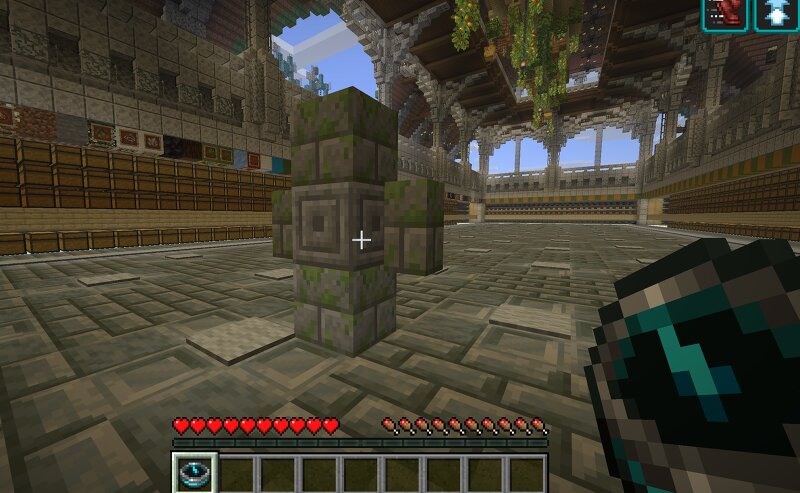
Creator notes
💀 GRAVESTONES v1.0 A Datapack by Xek DIE. RETURN. RECOVER. Gravestones adds a simple survival-friendly death recovery system to Minecraft Java Edition. When you die, your inventory is safely stored and a gravestone is created at your death location. After respawning, you receive a Grave Compass to guide you back. Return to your gravestone, interact with it, and recover your equipment. ━━━━━━━━━━━━━━━━━━━━━━━━━━━━ 💀 FEATURES ━━━━━━━━━━━━━━━━━━━━━━━━━━━━ • Automatic gravestone creation on death • Inventory safely stored instead of scattered on the ground • Grave Compass received after respawning • Interact with your gravestone to recover your inventory • Restores items to their original inventory slots when possible • Supports hotbar, main inventory, armor and offhand • Preserves item data, enchantments and item components • Designed to preserve newly acquired items during recovery • Gravestones persist after leaving and re-entering the world • Works in the Overworld, Nether and End • No resource pack required ━━━━━━━━━━━━━━━━━━━━━━━━━━━━ 🧭 HOW IT WORKS ━━━━━━━━━━━━━━━━━━━━━━━━━━━━ 1. Die. 2. A gravestone is created at your death location. 3. Respawn and receive your Grave Compass. 4
Added value
What’s included on this page
Preview, categories, compatibility, and tools on this page — not a bare file mirror.
- Creator
- Xek
- Source
- Minecraft downloads library on Eaglercraft Studio
- Type
- Minecraft data pack
- Price
- Free download on Eaglercraft Studio
- Curation
- Listed with credit to Xek · studio preview & install guide
- to version
- Minecraft 26.3 snapshot
- Compatible with
- Minecraft Java (match version / loader in facts)
- Tags
- Advancements, Functions, Loot Tables, Predicates, Quality Of Life, Recipes
Install guide
How to install this free data pack
Data pack listing with creator credit and world-folder install steps.
- 1Download the datapack archive.
- 2Open your world folder → datapacks, and place the zip or folder there.
- 3Run /reload in-game (or reopen the world) to enable it.
Data packs are Java Edition. Match the pack’s game version to avoid broken recipes or worldgen.
Related free data packs
More curated data packs from the same library section.

MoisturePack · 75 diamonds · 6 views

ProGameBot · 46 diamonds · 3 views

sniffercraft34 · 46 diamonds · 1 views

sniffercraft34 · 45 diamonds · 648 views