
Hang Glider
Creator: Loupieur · 2026-04-16 · Data packs · Free on Eaglercraft Studio
Download Hang Glider — free Minecraft data pack. Created by Loupieur. Tagged advancements, deltaplane, functions, glide. Drop into your world’s datapacks folder when the archive is available.
Creator notes
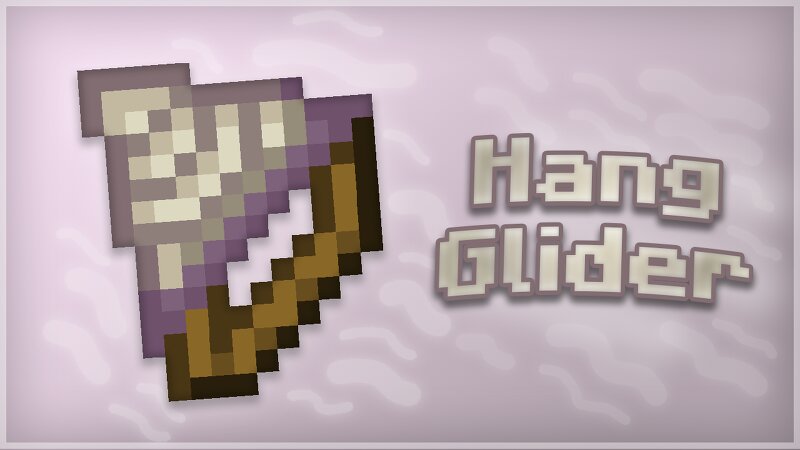
Datapack 26.2+ Hang Glider is a Datapack for 26.2+ that adds the Hang Glider , it can stop and slow down your fall, glide in the air and disable your fall damages. However, it glides slower, has less durability and slows down less your falling speed than Elytra. Hang Glider Allows you to stop your fall, to slow down your falling speed, to glide in the air and disable your fall damages, unless you you deploy it too late. It be used only if there are no collision below you (block, Happy Ghast, boat). It has 256 durability and loose 1 durability per second of use or 5 durabilities when you fall too fast while gliding. You can enchant it with Unbreaking and Mending or repair it with Phantom Membranes. You can rename the Hang Glider into "Big Hang Glider" to change the skin of the item to have a 3D model : (but it takes more space in your vision) Can be crafted with 3 Phantom Membranes and 3 Sticks. The Datapack uses the new air_drag_modifier attribute added in 26.2-snapshot-1. You can put the required Texture Pack to have the texture of the Hang Glider.
Added value
What’s included on this page
Preview, categories, compatibility, and tools on this page — not a bare file mirror.
- Creator
- Loupieur
- Source
- Minecraft downloads library on Eaglercraft Studio
- Type
- Minecraft data pack
- Price
- Free download on Eaglercraft Studio
- Curation
- Listed with credit to Loupieur · studio preview & install guide
- to version
- Minecraft 26.3 snapshot
- Compatible with
- Minecraft Java (match version / loader in facts)
- Tags
- Advancements, Deltaplane, Functions, Glide, Glider, Gliding
Install guide
How to install this free data pack
Data pack listing with creator credit and world-folder install steps.
- 1Download the datapack archive.
- 2Open your world folder → datapacks, and place the zip or folder there.
- 3Run /reload in-game (or reopen the world) to enable it.
Data packs are Java Edition. Match the pack’s game version to avoid broken recipes or worldgen.
Related free data packs
More curated data packs from the same library section.

MoisturePack · 75 diamonds · 6 views

ProGameBot · 46 diamonds · 3 views

sniffercraft34 · 46 diamonds · 1 views

sniffercraft34 · 45 diamonds · 648 views