
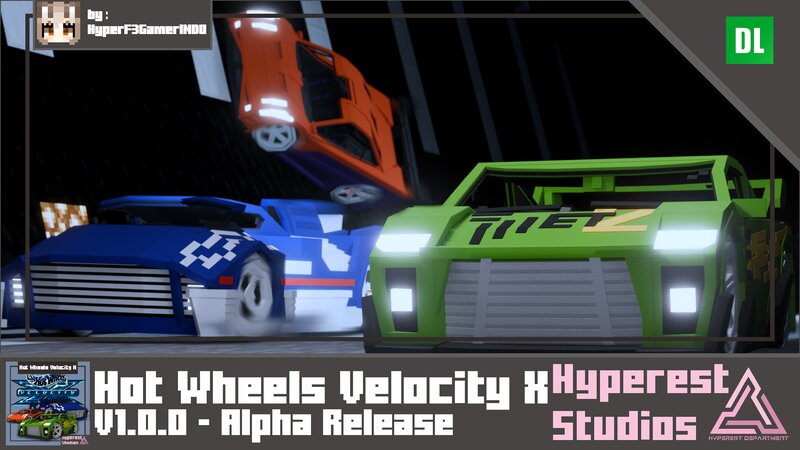
Hot Wheels Velocity X | v1.0.0 Alpha Release
Creator: Hyperest Studios · 2026-03-17 · Data packs · Free on Eaglercraft Studio
Download Hot Wheels Velocity X | v1.0.0 Alpha Release — free Minecraft data pack. Created by Hyperest Studios. Tagged technology, toys. Drop into your world’s datapacks folder when the archive is available.
Creator notes
Drive like you've never imagine with these Hot Wheels cars, and you can turn them into toys! Basic Information Hot Wheels Velocity X Basic Specifications Performance: Speed: 5 Blocks/Second. [0.50 Speed] Toys Speed: 2 Blocks/Second. [0.25 Speed] Miscellaneous: Health: 20 Points. Seat count: Depends on Vehicle. Damage: The Vehicle will get damage animation if under max health condition and if the Vehicle in Critical Health [2 health] will release particles if the car moving. so fix your car using Wrench. Wrenches: Wrench: Fixes 1 point to the vehicle. Tweak: Changes the vehicle size. Nitrox2: The blue one is Full Nitrox2. Use it carefully! You can use Nitrox2 only 3 times! So, save it if you really need it. How to use it? Just the same as with a pig! Commands, Eggs and Colors available to change: /summon hp:hwvx_mst_suzuka [NONE] /summon hp:hwvx_melstrom [NONE] /summon hp:hwvx_hw_prototype_12 [NONE] /summon hp:hwvx_super_tuned [NONE] /summon hp:hwvx_krazy_8s [NONE] /summon hp:hwvx_deora_ii [NONE] Hot Wheels Velocity X Visual Toys Scale vs Real Size "Use the Invisibility Potion if you want to ride the Toys Version" Congratulations! Now you just changed to "Hot Wheels: Unleas
Added value
What’s included on this page
Preview, categories, compatibility, and tools on this page — not a bare file mirror.
- Creator
- Hyperest Studios
- Source
- Minecraft downloads library on Eaglercraft Studio
- Type
- Minecraft data pack
- Price
- Free download on Eaglercraft Studio
- Curation
- Listed with credit to Hyperest Studios · studio preview & install guide
- to version
- Minecraft 1.21
- Compatible with
- Minecraft Java (match version / loader in facts)
- Tags
- Technology, Toys
Install guide
How to install this free data pack
Data pack listing with creator credit and world-folder install steps.
- 1Download the datapack archive.
- 2Open your world folder → datapacks, and place the zip or folder there.
- 3Run /reload in-game (or reopen the world) to enable it.
Data packs are Java Edition. Match the pack’s game version to avoid broken recipes or worldgen.
Related free data packs
More curated data packs from the same library section.

MoisturePack · 75 diamonds · 6 views

ProGameBot · 46 diamonds · 3 views

sniffercraft34 · 46 diamonds · 1 views

sniffercraft34 · 45 diamonds · 648 views