
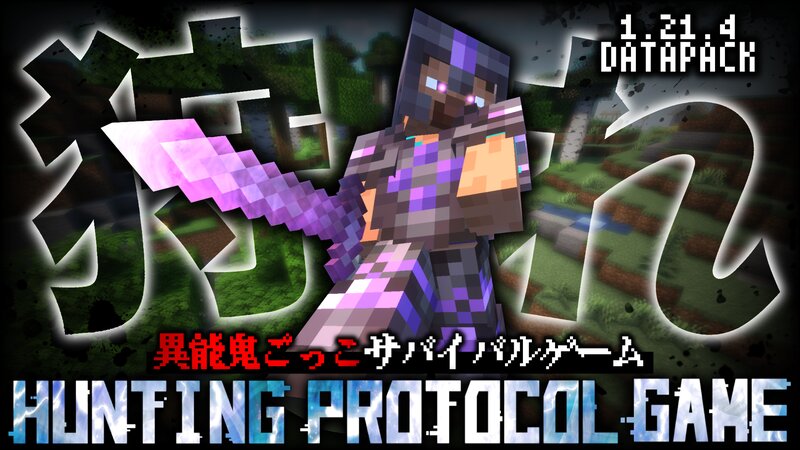
Hunting_Protocol_Game 1.21.4/異能鬼ごっこゲーム
Creator: Mononobe · 2026-02-25 · Data packs · Free on Eaglercraft Studio
Download Hunting_Protocol_Game 1.21.4/異能鬼ごっこゲーム — free Minecraft data pack. Created by Mononobe. Tagged advancements, functions, loot tables, other. Drop into your world’s datapacks folder when the archive is available.
Creator notes
----------------------------------------------------------------------------------------------- 自作の鬼ごっこゲームです 本データパックを使用した動画などの作成はご自由にしていただいて構いません よろしければ概要欄等に本データパックのURLを表記していただけると嬉しいです また、二次配布や改造、自作発言等は決して行わないようお願い致します ----------------------------------------------------------------------------------------------- ・ゲーム開始について ハンター役の人を実行者として以下のコマンドを実行してください。 /function tw:game/start {"skill1":"○","skill2":"○","skill3":"○","border":"○","time":"○"} ○がついている部分には後述する数値を入力してください。これによってゲームの設定が変わります。 また前述の通り基本的にはハンター役がチャット欄で入力することによってゲームを開始することを想定していますが、コマンドの権限を与えられない等の理由がある場合、コマンドの前に /execute as (ハンター役のプレイヤーID) run と付け加え /execute as (ハンター役のプレイヤーID) run function tw:game/start {"score1":"○","score2":"○","score3":"○","border":"○","time":"○"} …となるようにしてコマンドの権限があるプレイヤーが実行してください。指定したIDのプレイヤーがハンターになります。 (ややこしくて何言ってるのか分からない!という場合は『入力例』にテンプレートがあるのでそちらをコピーして使用してください) ----------------------------------------------------------------------------------------------- ・入力する数値について ▶︎skill1/skill2/skill3 ハンターが使用する3つのスキルをそれぞれ指定します。 skill1に設定したスキルが1番目、skill2に設定したスキルが2番目、skill3に設定したスキルが3番目になります。 以下スキルの詳細名称、設定です。 (CT=クールタイム。再発動までにかかる時間 20tick=1秒) 1=『体力を回復させる』 即時回復1、再生能力3、移動速度低下3、弱体化3を付与する。CTは545tick。 2=『移動速度を上昇させる』
Added value
What’s included on this page
Preview, categories, compatibility, and tools on this page — not a bare file mirror.
- Creator
- Mononobe
- Source
- Minecraft downloads library on Eaglercraft Studio
- Type
- Minecraft data pack
- Price
- Free download on Eaglercraft Studio
- Curation
- Listed with credit to Mononobe · studio preview & install guide
- Compatible with
- Minecraft Java (match version / loader in facts)
- Tags
- Advancements, Functions, Loot Tables, Other, Predicates
Install guide
How to install this free data pack
Data pack listing with creator credit and world-folder install steps.
- 1Download the datapack archive.
- 2Open your world folder → datapacks, and place the zip or folder there.
- 3Run /reload in-game (or reopen the world) to enable it.
Data packs are Java Edition. Match the pack’s game version to avoid broken recipes or worldgen.
Related free data packs
More curated data packs from the same library section.

MoisturePack · 75 diamonds · 6 views

ProGameBot · 46 diamonds · 3 views

sniffercraft34 · 46 diamonds · 1 views

sniffercraft34 · 45 diamonds · 648 views