
Iron Golem AI Overhaul
Creator: MC_Ninja38 · 2026-01-15 · Data packs · Free on Eaglercraft Studio
Download Iron Golem AI Overhaul — free Minecraft data pack. Created by MC_Ninja38. Tagged combat, functions, improved ai, improvedai. Drop into your world’s datapacks folder when the archive is available.
Creator notes
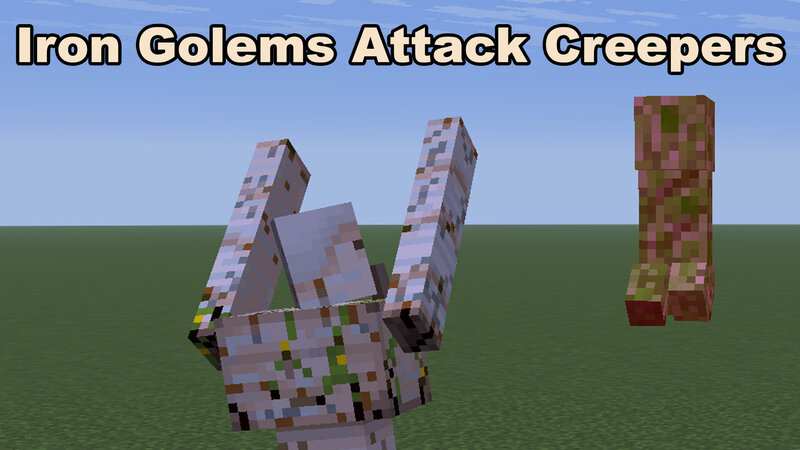
Welcome to Iron Golem AI Overhaul What it does: This datapack massively improves Iron Golem AI. Specifically, it improves the Iron Golem's decison-making, when it comes to selecting a target How it works: -When an Iron Golem is first summoned, it will place a "golem_marker", if another one isn't already within 100 blocks of its position. If there is one available, the Iron Golem will "pair" with it - meaning that Iron Golem won't be able to place a new marker - even if it gets out of range of the nearest one. -Iron Golems will lock onto most hostile mobs that are directly exposed to the sky - including creepers within 80 blocks of their markers. Target priority is the closest hostile to the "golem_marker". NOTE: This does mean that creepers that hide under trees or overhangs will no longer be targeted, but once they expose themselves to the sky again, the Golems will lock onto them immediately. -Iron Golems will persist onto the same target up to 64 blocks away from their position. -Creepers that are targeted by Iron Golems will have their health decreased to 7 health, which ensures that targeted creepers will get one-shot by Iron Golems. This effect has been dubbed "Bane of the
Added value
What’s included on this page
Preview, categories, compatibility, and tools on this page — not a bare file mirror.
- Creator
- MC_Ninja38
- Source
- Minecraft downloads library on Eaglercraft Studio
- Type
- Minecraft data pack
- Price
- Free download on Eaglercraft Studio
- Curation
- Listed with credit to MC_Ninja38 · studio preview & install guide
- Compatible with
- Minecraft Java (match version / loader in facts)
- Tags
- Combat, Functions, Improved Ai, Improvedai, Improvements, Irongolem
Install guide
How to install this free data pack
Data pack listing with creator credit and world-folder install steps.
- 1Download the datapack archive.
- 2Open your world folder → datapacks, and place the zip or folder there.
- 3Run /reload in-game (or reopen the world) to enable it.
Data packs are Java Edition. Match the pack’s game version to avoid broken recipes or worldgen.
Related free data packs
More curated data packs from the same library section.

MoisturePack · 75 diamonds · 6 views

ProGameBot · 46 diamonds · 3 views

sniffercraft34 · 46 diamonds · 1 views

sniffercraft34 · 45 diamonds · 648 views