
Jericho Missile from İronman 1
Creator: TuniMani · 2026-08-25 · Data packs · Free on Eaglercraft Studio
Download Jericho Missile from İronman 1 — free Minecraft data pack. Created by TuniMani. Tagged artillery, bomb, customweapon, explosion. Drop into your world’s datapacks folder when the archive is available.
Creator notes
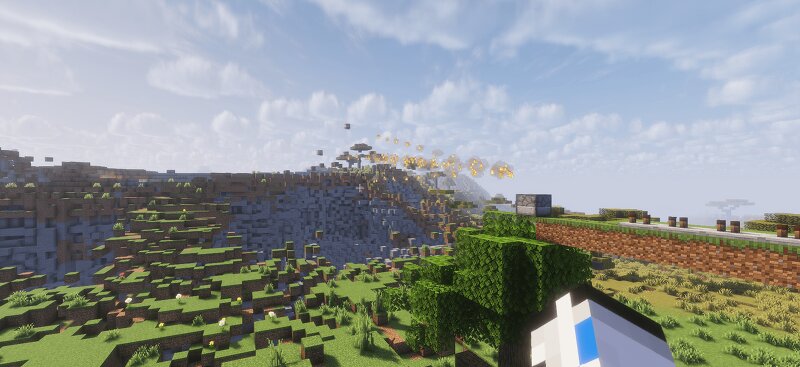
# 🚀 Jericho Missile Data Pack (Iron Man Inspired) Bring Stark Industries' finest weapon to Minecraft! The **Jericho Missile** is a laser-guided, multi-warhead ballistic missile system featuring realistic flight physics, custom particle trails, and cinematic cluster dispersion. --- ### ✨ Key Features: * 🎯 **Jericho Laser Designator:** Use the custom spyglass to designate target coordinates across long distances. * 🚫 **Shift to Clear Target:** Sneaking (Shift) instantly cancels and clears your locked target. * 🚀 **Ballistic Flight:** Missiles ascend vertically into the sky before pitching down towards the designated target. * 💥 **Dynamic Cluster Separation:** The main missile automatically splits into 8 sub-munitions when it reaches ~30 blocks above the target. * 🌋 **Realistic Impact:** Sub-munitions fall in parabolic arcs and detonate strictly upon ground contact, leaving massive cratering. * 🔄 **Chunk-Loading Safe:** Integrated `forceload` system prevents missiles from freezing in unrendered chunks. --- ### 📖 How to Use: 1. Run `/function jericho:give_shulker` to receive your Missile Crate and Laser Designator. 2. Hold the **Jericho Laser Designator** (Spyglass) and scope in on you
Added value
What’s included on this page
Preview, categories, compatibility, and tools on this page — not a bare file mirror.
- Creator
- TuniMani
- Source
- Minecraft downloads library on Eaglercraft Studio
- Type
- Minecraft data pack
- Price
- Free download on Eaglercraft Studio
- Curation
- Listed with credit to TuniMani · studio preview & install guide
- Compatible with
- Minecraft Java (match version / loader in facts)
- Tags
- Artillery, Bomb, Customweapon, Explosion, Functions, Game Mechanic
Install guide
How to install this free data pack
Data pack listing with creator credit and world-folder install steps.
- 1Download the datapack archive.
- 2Open your world folder → datapacks, and place the zip or folder there.
- 3Run /reload in-game (or reopen the world) to enable it.
Data packs are Java Edition. Match the pack’s game version to avoid broken recipes or worldgen.
Related free data packs
More curated data packs from the same library section.

MoisturePack · 75 diamonds · 6 views

ProGameBot · 46 diamonds · 3 views

sniffercraft34 · 46 diamonds · 1 views

sniffercraft34 · 45 diamonds · 648 views