
Ketket's Mannequins - Make It Alive!
Creator: efeketket · 2025-12-09 · Data packs · Free on Eaglercraft Studio
Download Ketket's Mannequins - Make It Alive! — free Minecraft data pack. Created by efeketket. Tagged 121datapack, armorstand, build, creative. Drop into your world’s datapacks folder when the archive is available.
Creator notes
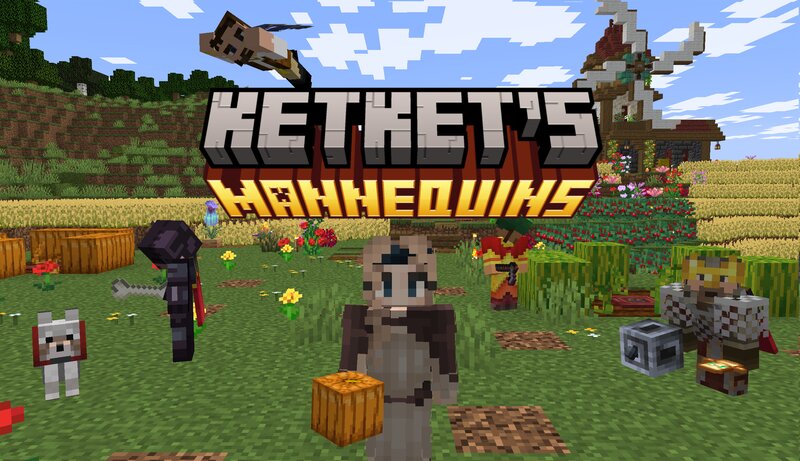
KETKET'S MANNEQUINS Bring your world to life with fully customizable mannequins that look and feel like real players. Equip them with items, change their poses, swap their skins, and create dynamic scenes anywhere in your world. Perfect for decoration, storytelling, and adventure maps. — with more features and add-on packs coming soon. More add-ons and features are already in development — stay tuned for updates! CRAFTING TUTORIAL VIDEO TOOLS Pose Stick - Rename any stick to “pose” using an anvil. Shift + Left-Click: Cycles through built-in poses (swimming, sneaking, etc.). Shift + Right-Click: Makes the mannequin rotate to face the nearest player. Name Tag - Rename a name tag normally to use the following interactions: Shift + Right-Click: Changes the mannequin’s skin. Shift + Left-Click: Toggles always-visible custom name. Right-Click (no shift): Changes the mannequin’s custom name. Pose Compass - Rename any compass to “pose” using an anvil. Shift + Right-Click: Rotates the mannequin’s head sideways. Shift + Left-Click: Tilts the head downward. INTERACTIONS Throwing a Golden Apple at a mannequin instantly restores its health to full. Shift + Right-Click with an empty hand will sa
Added value
What’s included on this page
Preview, categories, compatibility, and tools on this page — not a bare file mirror.
- Creator
- efeketket
- Source
- Minecraft downloads library on Eaglercraft Studio
- Type
- Minecraft data pack
- Price
- Free download on Eaglercraft Studio
- Curation
- Listed with credit to efeketket · studio preview & install guide
- Compatible with
- Minecraft Java (match version / loader in facts)
- Tags
- 121datapack, Armorstand, Build, Creative, Decoration, Design
Install guide
How to install this free data pack
Data pack listing with creator credit and world-folder install steps.
- 1Download the datapack archive.
- 2Open your world folder → datapacks, and place the zip or folder there.
- 3Run /reload in-game (or reopen the world) to enable it.
Data packs are Java Edition. Match the pack’s game version to avoid broken recipes or worldgen.
Related free data packs
More curated data packs from the same library section.

MoisturePack · 75 diamonds · 6 views

ProGameBot · 46 diamonds · 3 views

sniffercraft34 · 46 diamonds · 1 views

sniffercraft34 · 45 diamonds · 648 views