
Kimmy's Easter Eggs
Creator: kimandjax · 2026-03-19 · Data packs · Free on Eaglercraft Studio
Download Kimmy's Easter Eggs — free Minecraft data pack. Created by kimandjax. Tagged cosmetic. Drop into your world’s datapacks folder when the archive is available.
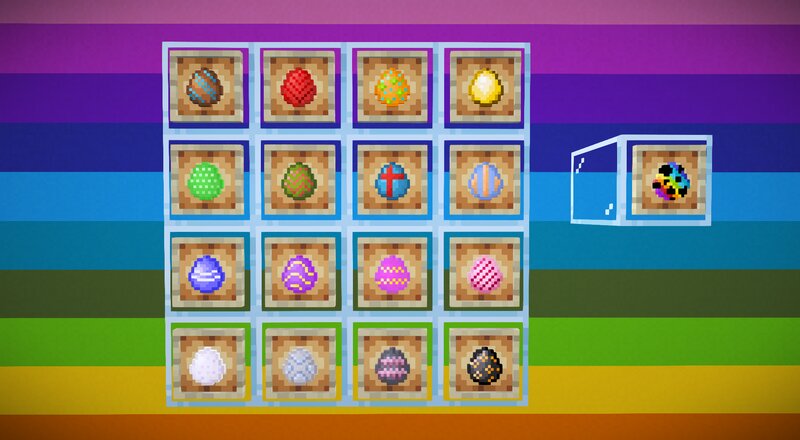
Creator notes
K i m m y ' s E a s t e r E g g s ! A fun cosmetic pack for your Minecraft worlds sports_esports Here is a fun wee pack for your Minecraft worlds this Easter ! Every time a chicken lays an egg, it will be one of the 16 Minecraft colours. And there is a fun bonus R ai n b o w E g g ! This pack adds nothing game changing, so it is perfectly safe for you to use in any environment without needing to worry if you are breaking any server rules. sports_esports H o w t o u s e! The way we can have randomised textures is simple but not simple. Even I had to ask for help with this one! → Download both the Resource Pack and the Data Pack → Place the Data Pack in your datapack folder within your world file → Place the Resource Pack in your resourcepack folder within your world file Neither need to be unzipped In game: Enable the Resource Pack by moving to the right in game by: Options - Resource Packs Find the pack under 'Available' and move the it over to the right under 'Selected' A revamped, simple concept for 1.21.11+and for free as always ♥ sports_esports A s p e c i a l m en t io n ! My good friend Funkiest_Saturn helped me take my idea and make it work! I have been maki
Added value
What’s included on this page
Preview, categories, compatibility, and tools on this page — not a bare file mirror.
- Creator
- kimandjax
- Source
- Minecraft downloads library on Eaglercraft Studio
- Type
- Minecraft data pack
- Price
- Free download on Eaglercraft Studio
- Curation
- Listed with credit to kimandjax · studio preview & install guide
- to version
- Minecraft 1.21
- Compatible with
- Minecraft Java (match version / loader in facts)
- Tags
- Cosmetic
Install guide
How to install this free data pack
Data pack listing with creator credit and world-folder install steps.
- 1Download the datapack archive.
- 2Open your world folder → datapacks, and place the zip or folder there.
- 3Run /reload in-game (or reopen the world) to enable it.
Data packs are Java Edition. Match the pack’s game version to avoid broken recipes or worldgen.
Related free data packs
More curated data packs from the same library section.

MoisturePack · 75 diamonds · 6 views

ProGameBot · 46 diamonds · 3 views

sniffercraft34 · 46 diamonds · 1 views

sniffercraft34 · 45 diamonds · 648 views