
🔒 Level = Border Challenge (Vanilla Datapack 26.1.2)
Creator: Heykikoo · 2026-04-19 · Data packs · Free on Eaglercraft Studio
Download 🔒 Level = Border Challenge (Vanilla Datapack 26.1.2) — free Minecraft data pack. Created by Heykikoo. Tagged border, datapack, functions, game mechanic. Drop into your world’s datapacks folder when the archive is available.
Creator notes
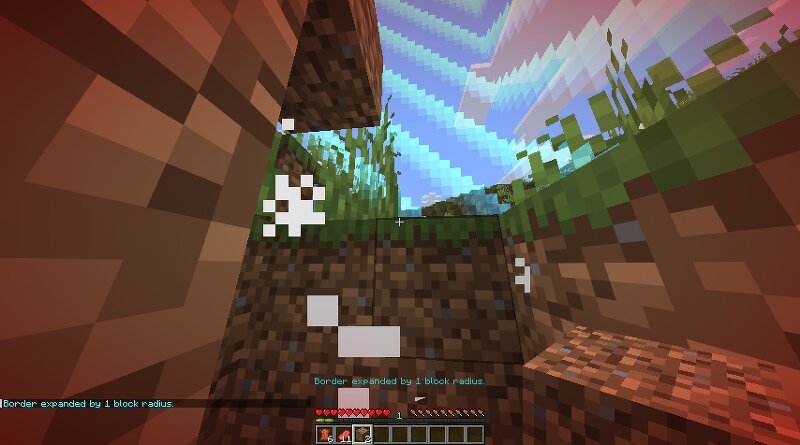
⚠ MINECRAFT VERSION 26.1.2 ⚠ 🔒 Level = Border Challenge (Vanilla Datapack 26.1.2) This datapack turns Minecraft into a true progression challenge. The world border starts extremely small, trapping you in a tiny area. To unlock more space, you need to gain experience levels. Every time a player reaches a new highest level , the border expands automatically. 👉 Your progress directly controls how much of the world you can access. ⚙️ How it works The border starts very small The datapack tracks the highest player level When a new highest level is reached → border expands Border damage is disabled Works for all players ➡️ Your progress = your available space 💀 Challenge Idea You start trapped inside a tiny world. To unlock more land, you need to level up by doing things like: ⛏️ Mining 🔥 Smelting 👹 Mob farming 💰 Trading 🌍 Careful exploration ...and yeah, it’s hard 😈 The higher your level, the bigger your world becomes. ✨ Features ✔ Border starts extremely small ✔ Expands based on player levels ✔ Automatic progression ✔ Singleplayer & Multiplayer compatible ✔ Pure vanilla datapack – no mods required 📦 Installation Download the datapack Place it in: .minecraft/saves/YOUR_WORLD/datapacks R
Added value
What’s included on this page
Preview, categories, compatibility, and tools on this page — not a bare file mirror.
- Creator
- Heykikoo
- Source
- Minecraft downloads library on Eaglercraft Studio
- Type
- Minecraft data pack
- Price
- Free download on Eaglercraft Studio
- Curation
- Listed with credit to Heykikoo · studio preview & install guide
- Compatible with
- Minecraft Java (match version / loader in facts)
- Tags
- Border, Datapack, Functions, Game Mechanic, Level, New
Install guide
How to install this free data pack
Data pack listing with creator credit and world-folder install steps.
- 1Download the datapack archive.
- 2Open your world folder → datapacks, and place the zip or folder there.
- 3Run /reload in-game (or reopen the world) to enable it.
Data packs are Java Edition. Match the pack’s game version to avoid broken recipes or worldgen.
Related free data packs
More curated data packs from the same library section.

MoisturePack · 75 diamonds · 6 views

ProGameBot · 46 diamonds · 3 views

sniffercraft34 · 46 diamonds · 1 views

sniffercraft34 · 45 diamonds · 648 views