
Mailbox
Creator: Lordphenex · 2026-05-06 · Data packs · Free on Eaglercraft Studio
Download Mailbox — free Minecraft data pack. Created by Lordphenex. Tagged advancements, functions, loot tables, mail. Drop into your world’s datapacks folder when the archive is available.
Creator notes
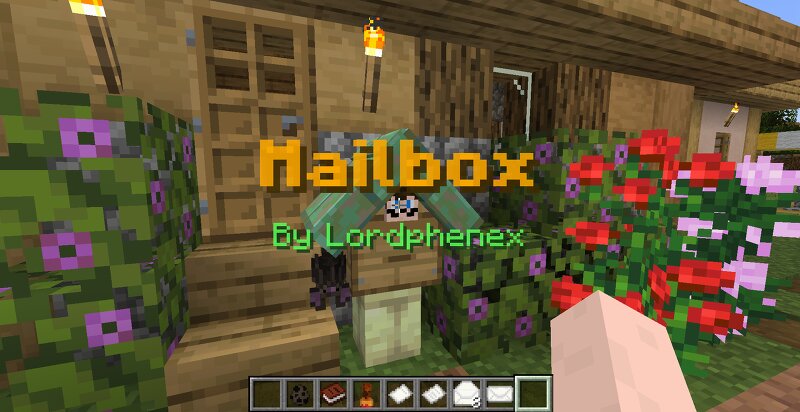
As of now, the datapack is only made for 1.20.6. It will be updated to newer versions as more features are introduced in the base 1.20.6 development version Send mail to your friend to easily communicate with them. This datapack add 5 new items to allow you and your friends to exchange informations even if your are not connected at the same time : The Mailbox : place this new block wherever you want in the world. You will receive your mails here. When installing your first mailbox, you will need to register yourself to the postal office by using a default stamp on the box. The bat hanging from yourmailbox will allow you to send mail across the server. However, bats can only transport mails that have been sealed by using a registered stamp. Mailboxes can be customised by changing their stand and roof material (any fence/wall block and any slab) by right clicking their stand with the desired material in hand. To reset their default appearance, you can use shears The Stamp : craft this item with a stick, a copper ingot and some honeycomb. It will allow you to 1) register your mailbox ; 2) ensure to your friends that the mail is coming from you. This item cannot be used by other player
Added value
What’s included on this page
Preview, categories, compatibility, and tools on this page — not a bare file mirror.
- Creator
- Lordphenex
- Source
- Minecraft downloads library on Eaglercraft Studio
- Type
- Minecraft data pack
- Price
- Free download on Eaglercraft Studio
- Curation
- Listed with credit to Lordphenex · studio preview & install guide
- to version
- Minecraft 26.1
- Compatible with
- Minecraft Java (match version / loader in facts)
- Tags
- Advancements, Functions, Loot Tables, Mail, Other, Predicates
Install guide
How to install this free data pack
Data pack listing with creator credit and world-folder install steps.
- 1Download the datapack archive.
- 2Open your world folder → datapacks, and place the zip or folder there.
- 3Run /reload in-game (or reopen the world) to enable it.
Data packs are Java Edition. Match the pack’s game version to avoid broken recipes or worldgen.
Related free data packs
More curated data packs from the same library section.

MoisturePack · 75 diamonds · 6 views

ProGameBot · 46 diamonds · 3 views

sniffercraft34 · 46 diamonds · 1 views

sniffercraft34 · 45 diamonds · 648 views