
MES - Biomes O' Plenty Compat Pack
Creator: FinnDog_123 · 2026-09-28 · Data packs · Free on Eaglercraft Studio
Download MES - Biomes O' Plenty Compat Pack — free Minecraft data pack. Created by FinnDog_123. Tagged adventure, biomesoplenty, compatibility, end. Drop into your world’s datapacks folder when the archive is available.
Creator notes
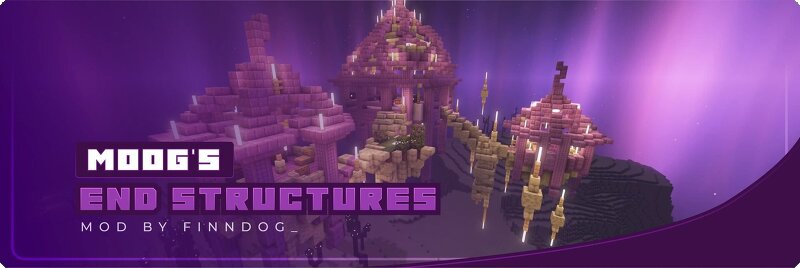
Biomes O Plenty Compatibility Datapack This datapack is designed to enhance the integration of Moog's End Structures with Biomes O Plenty . By installing this pack, the style of some of our existing structures will be automatically switched out to use blocks and more from Biomes O Plenty, creating a more cohesive and immersive experience when both mods are installed. How to Use Download: Download the compatibility pack Install: Place the entire folder into your world's datapacks folder. Reload: Run the command /datapack enable "file/moogs_end_structures_bop_compat" or /reload to apply the changes. Important Notes This datapack requires both Moog's End Structures and Biomes O Plenty to be installed to function correctly. The specific structure changes made by this pack will be visible only in new chunks generated after installation. DISCORD The best and fastest way to get replies is to join our Discord server .
Added value
What’s included on this page
Preview, categories, compatibility, and tools on this page — not a bare file mirror.
- Creator
- FinnDog_123
- Source
- Minecraft downloads library on Eaglercraft Studio
- Type
- Minecraft data pack
- Price
- Free download on Eaglercraft Studio
- Curation
- Listed with credit to FinnDog_123 · studio preview & install guide
- to version
- Minecraft 26.2
- Compatible with
- Minecraft Java (match version / loader in facts)
- Tags
- Adventure, Biomesoplenty, Compatibility, End, Structures, World Generation
Install guide
How to install this free data pack
Data pack listing with creator credit and world-folder install steps.
- 1Download the datapack archive.
- 2Open your world folder → datapacks, and place the zip or folder there.
- 3Run /reload in-game (or reopen the world) to enable it.
Data packs are Java Edition. Match the pack’s game version to avoid broken recipes or worldgen.
Related free data packs
More curated data packs from the same library section.

MoisturePack · 75 diamonds · 6 views

ProGameBot · 46 diamonds · 3 views

sniffercraft34 · 46 diamonds · 1 views

sniffercraft34 · 45 diamonds · 648 views