
Minecolonies integration with Quark, 1.21.1+
Creator: Shadizar · 2026-04-02 · Data packs · Free on Eaglercraft Studio
Download Minecolonies integration with Quark, 1.21.1+ — free Minecraft data pack. Created by Shadizar. Tagged functions, minecolonies, other, quark. Drop into your world’s datapacks folder when the archive is available.
Creator notes
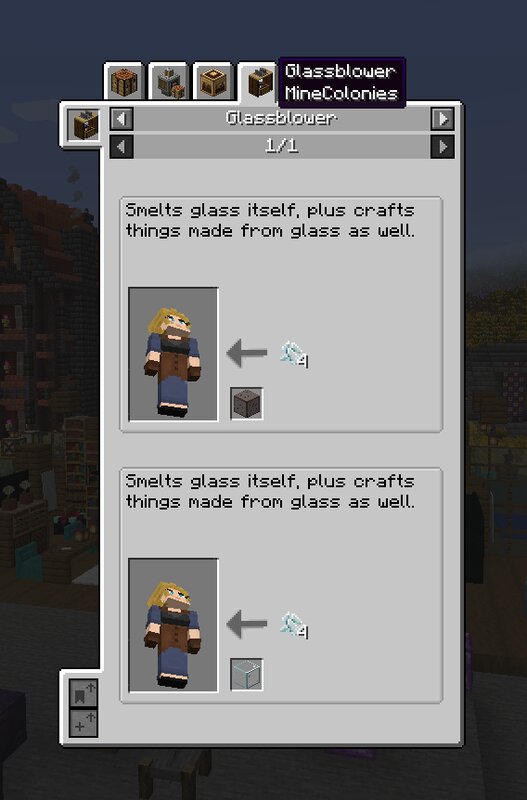
Initial implementation of Quark compatibility with Minecolonies. • Consistent with other packs, I'll not bother doing the Arrows of stability as they're niche (in context of minecolonies) • To be quite fair, the Minecolonies auto material detection stuff does a lot of the work here; a lot of the wood stuff and so on 'just works', so I'm not taking credit for it all :D • Far too many recipes enabled to list individually for first implementation • Quark does slab-to-block for a lot of non quark blocks, and I've not tackled non quark blocks for that yet. • I have not done anything about the new minecolonies Prestige tagging. I know it's needed but I need more time for that. • Added Quark ladders to minecolonies 'freeclimb' like vanilla ladders Added relevant pathblocks (including minecraft vanilla cobblestone, and all stairs, as is my practice nowadays). I did leave out leaf carpets, wasn't sure they applied…lemme know if you disagree, on the discord Important notes re: installing datapacks * Datapacks typically go in your world or save folder for a given world, in the folder named 'datapacks'. * Simply put the .zip file into that folder while the game/server is off, and it should be
Added value
What’s included on this page
Preview, categories, compatibility, and tools on this page — not a bare file mirror.
- Creator
- Shadizar
- Source
- Minecraft downloads library on Eaglercraft Studio
- Type
- Minecraft data pack
- Price
- Free download on Eaglercraft Studio
- Curation
- Listed with credit to Shadizar · studio preview & install guide
- Compatible with
- Minecraft Java (match version / loader in facts)
- Tags
- Functions, Minecolonies, Other, Quark, Recipes
Install guide
How to install this free data pack
Data pack listing with creator credit and world-folder install steps.
- 1Download the datapack archive.
- 2Open your world folder → datapacks, and place the zip or folder there.
- 3Run /reload in-game (or reopen the world) to enable it.
Data packs are Java Edition. Match the pack’s game version to avoid broken recipes or worldgen.
Related free data packs
More curated data packs from the same library section.

MoisturePack · 75 diamonds · 6 views

ProGameBot · 46 diamonds · 3 views

sniffercraft34 · 46 diamonds · 1 views

sniffercraft34 · 45 diamonds · 648 views