
Minecraft AI bot v2
Creator: omaroverpro · 2026-04-06 · Data packs · Free on Eaglercraft Studio
Download Minecraft AI bot v2 — free Minecraft data pack. Created by omaroverpro. Tagged aibot, mob. Drop into your world’s datapacks folder when the archive is available.
Creator notes
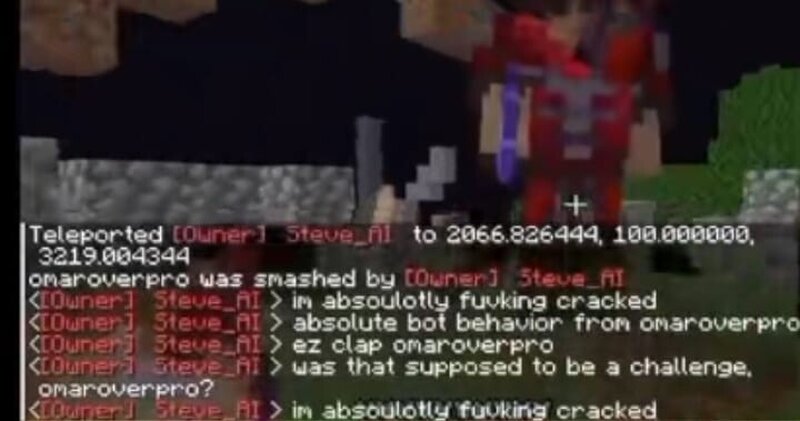
Project Overview: Universal AI Companion Universal AI Companion is a highly versatile and intelligent bot designed to enhance your gameplay experience across any server and any version. Whether you are looking for a loyal guard, an efficient resource gatherer, or just a fun companion to liven up your world, this AI is built to handle it all with zero configuration hassle. Why use this AI? Unlike traditional static bots, this AI companion is designed for maximum accessibility and utility . Version Independent: Works seamlessly across older and newer releases. Server Friendly: Designed to be "plug-and-play" on any multiplayer environment without requiring complex backend setups. Dynamic Response: The bot doesn't just stand there; it actively interacts with the environment, manages resources, and even engages in social behaviors. Getting Started Activating your new companion is super easy. For a complete visual walkthrough on how to set up and trigger the bot for the first time, please refer to our official tutorial: Watch the Activation Tutorial Here Extensive Command System The AI is controlled via a massive library of chat commands. Below is a categorized breakdown of what your com
Added value
What’s included on this page
Preview, categories, compatibility, and tools on this page — not a bare file mirror.
- Creator
- omaroverpro
- Source
- Minecraft downloads library on Eaglercraft Studio
- Type
- Minecraft data pack
- Price
- Free download on Eaglercraft Studio
- Curation
- Listed with credit to omaroverpro · studio preview & install guide
- to version
- Minecraft 1.21
- Compatible with
- Minecraft Java (match version / loader in facts)
- Tags
- Aibot, Mob
Install guide
How to install this free data pack
Data pack listing with creator credit and world-folder install steps.
- 1Download the datapack archive.
- 2Open your world folder → datapacks, and place the zip or folder there.
- 3Run /reload in-game (or reopen the world) to enable it.
Data packs are Java Edition. Match the pack’s game version to avoid broken recipes or worldgen.
Related free data packs
More curated data packs from the same library section.

MoisturePack · 75 diamonds · 6 views

ProGameBot · 46 diamonds · 3 views

sniffercraft34 · 46 diamonds · 1 views

sniffercraft34 · 45 diamonds · 648 views