
Minecraft, But Chests Are OP
Creator: BebuPlayz · 2026-09-14 · Data packs · Free on Eaglercraft Studio
Download Minecraft, But Chests Are OP — free Minecraft data pack. Created by BebuPlayz. Tagged but, chestsareop, functions, loot tables. Drop into your world’s datapacks folder when the archive is available.
Creator notes
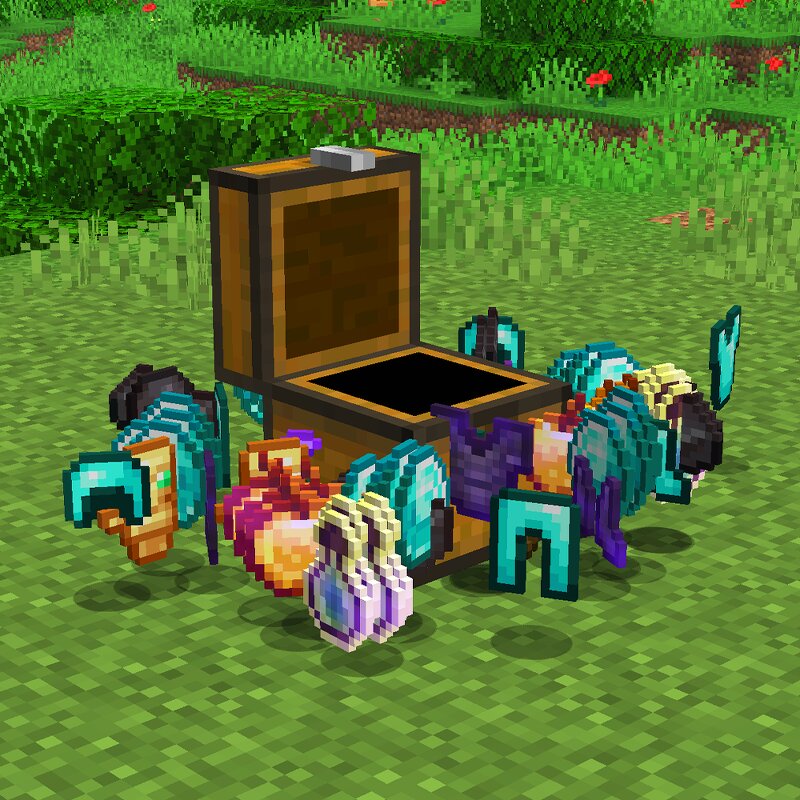
**Minecraft But Chests are OP** makes every chest worth opening by replacing ordinary loot with powerful, tier-based rewards. Chests are divided into different tiers depending on the structure you find them in, with better structures offering increasingly powerful loot. Even early-game chests can now give you lightly enchanted iron or diamond gear, while higher-tier chests can contain netherite, diamond blocks, enchanted golden apples, totems, and other rare items. Village chests are also more unique, with each villager profession having its own signature loot pool. If you're extremely lucky, any chest, barrel, or vault has a **10% chance to trigger the Jackpot**, instantly giving you **two distinct pieces of fully max-enchanted gear plus a bonus reward**. ### Features * **Tiered Chest Loot** - Loot gets better depending on the structure and chest tier. * **OP Rare & Epic Loot** - Find netherite ingots, diamond blocks, enchanted golden apples, Totems of Undying, shulker shells, and more. * **Village Signature Loot** - Every villager profession has its own dedicated chest loot pool. * **More Reasons to Explore** - Structures become much more rewarding and exciting to discover.
Added value
What’s included on this page
Preview, categories, compatibility, and tools on this page — not a bare file mirror.
- Creator
- BebuPlayz
- Source
- Minecraft downloads library on Eaglercraft Studio
- Type
- Minecraft data pack
- Price
- Free download on Eaglercraft Studio
- Curation
- Listed with credit to BebuPlayz · studio preview & install guide
- to version
- Minecraft 26.2
- Compatible with
- Minecraft Java (match version / loader in facts)
- Tags
- But, Chestsareop, Functions, Loot Tables, Minecraft, Minecraftbut
Install guide
How to install this free data pack
Data pack listing with creator credit and world-folder install steps.
- 1Download the datapack archive.
- 2Open your world folder → datapacks, and place the zip or folder there.
- 3Run /reload in-game (or reopen the world) to enable it.
Data packs are Java Edition. Match the pack’s game version to avoid broken recipes or worldgen.
Related free data packs
More curated data packs from the same library section.

MoisturePack · 75 diamonds · 6 views

ProGameBot · 46 diamonds · 3 views

sniffercraft34 · 46 diamonds · 1 views

sniffercraft34 · 45 diamonds · 648 views