
Minecraft, But Drops Are Random and Multiplied...
Creator: BebuPlayz · 2026-08-05 · Data packs · Free on Eaglercraft Studio
Download Minecraft, But Drops Are Random and Multiplied... — free Minecraft data pack. Created by BebuPlayz. Tagged but, dropsarerandom, functions, loot tables. Drop into your world’s datapacks folder when the archive is available.
Creator notes
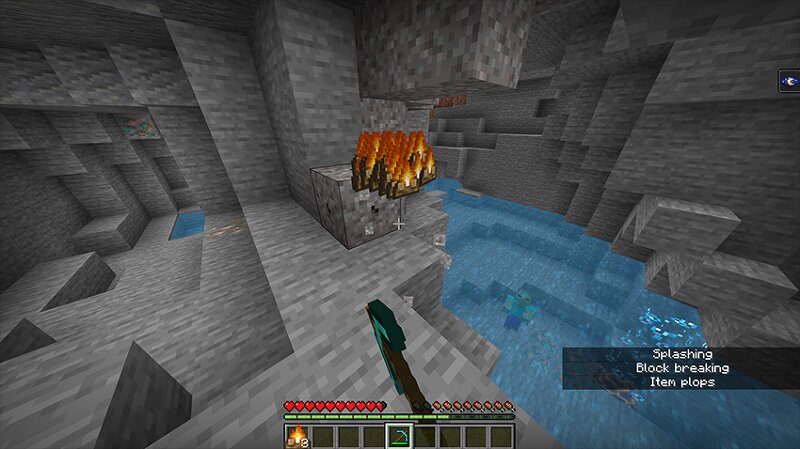
Minecraft, But Block Drops are Random and Multiplied... Break any block and receive a completely random item instead of its normal drop! Every new world generates its own unique block-to-item mapping, so you'll never know what you'll get until you start mining. In one world, dirt might drop diamonds. In another, stone could drop boats, buckets, or enchanted gear. Once a block is assigned an item in a world, it will always drop that same item for the rest of your playthrough, allowing you to learn and adapt to your world's random loot table. Perfect for challenge runs, speedruns, and chaotic survival experiences! Features - 🎲 Every block has a random drop. - 🌍 Different random mappings for every new world. - 🔒 Consistent drops within the same world. - ⛏️ Works in Survival and Multiplayer. - 🚀 Lightweight with no setup required. Can you beat Minecraft when every block drops something completely unexpected?
Added value
What’s included on this page
Preview, categories, compatibility, and tools on this page — not a bare file mirror.
- Creator
- BebuPlayz
- Source
- Minecraft downloads library on Eaglercraft Studio
- Type
- Minecraft data pack
- Price
- Free download on Eaglercraft Studio
- Curation
- Listed with credit to BebuPlayz · studio preview & install guide
- Compatible with
- Minecraft Java (match version / loader in facts)
- Tags
- But, Dropsarerandom, Functions, Loot Tables, Minecraft, Minecraftbut
Install guide
How to install this free data pack
Data pack listing with creator credit and world-folder install steps.
- 1Download the datapack archive.
- 2Open your world folder → datapacks, and place the zip or folder there.
- 3Run /reload in-game (or reopen the world) to enable it.
Data packs are Java Edition. Match the pack’s game version to avoid broken recipes or worldgen.
Related free data packs
More curated data packs from the same library section.

MoisturePack · 75 diamonds · 6 views

ProGameBot · 46 diamonds · 3 views

sniffercraft34 · 46 diamonds · 1 views

sniffercraft34 · 45 diamonds · 648 views