
Minecraft, But Every 30 Seconds You Swap Places With A Random Mob
Creator: ImBinarry · 2026-03-10 · Data packs · Free on Eaglercraft Studio
Download Minecraft, But Every 30 Seconds You Swap Places With A Random Mob — free Minecraft data pack. Created by ImBinarry. Tagged but, challenge, datapack, functions. Drop into your world’s datapacks folder when the archive is available.
Creator notes
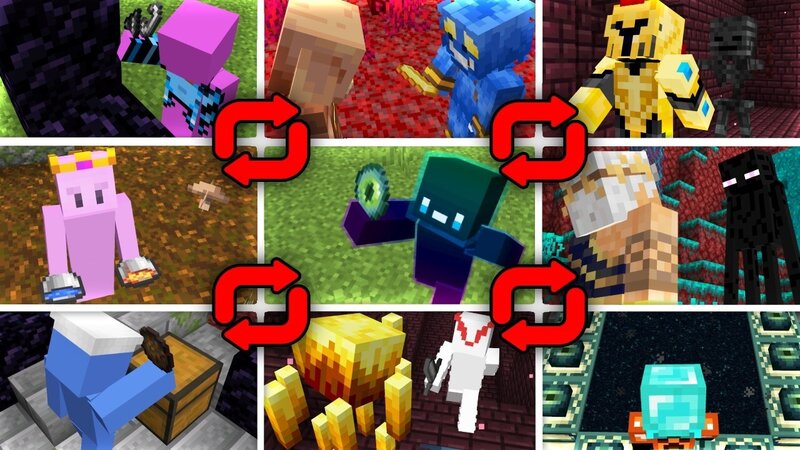
Overview As the name suggests, you randomly swaps places with a random mob or player. By default the interval will be set to 30 seconds, which you can change by the given triggered command bellow or in the Readme Well, there isn't a particular radius or anything, you will swap places with any of the loaded mobs The Idea is inspired by the Movie Freaky Friday (though they change the bodies not places. I'll make something like that in the future). Core Mechanics Swap System Independent timers per player Timing 30 second intervals (default) Valid Targets Hostile/Passive Mobs & Other Players Features Custom Timers Use `/trigger ff_set_timer set <seconds>` Safe Execution Ignores dropped items, projectiles, etc. Premium Server Solutions If you're looking for solid Minecraft server hosting? whether it's vanilla, modded, or a full SMP! BisectHosting is what I use and trust — reliable hosting is the difference between a good time and a ragequit. Click Here to Redeem! Get 25% off on the premium hosting with code BINARY - optimized servers for vanilla, modded, and high-performance Minecraft experiences. Technical Requirements Recommended Minecraft version 1.21.X+ Working Minecraft version 1.2
Added value
What’s included on this page
Preview, categories, compatibility, and tools on this page — not a bare file mirror.
- Creator
- ImBinarry
- Source
- Minecraft downloads library on Eaglercraft Studio
- Type
- Minecraft data pack
- Price
- Free download on Eaglercraft Studio
- Curation
- Listed with credit to ImBinarry · studio preview & install guide
- Compatible with
- Minecraft Java (match version / loader in facts)
- Tags
- But, Challenge, Datapack, Functions, Minecraft, Minecraftbut
Install guide
How to install this free data pack
Data pack listing with creator credit and world-folder install steps.
- 1Download the datapack archive.
- 2Open your world folder → datapacks, and place the zip or folder there.
- 3Run /reload in-game (or reopen the world) to enable it.
Data packs are Java Edition. Match the pack’s game version to avoid broken recipes or worldgen.
Related free data packs
More curated data packs from the same library section.

MoisturePack · 75 diamonds · 6 views

ProGameBot · 46 diamonds · 3 views

sniffercraft34 · 46 diamonds · 1 views

sniffercraft34 · 45 diamonds · 648 views