
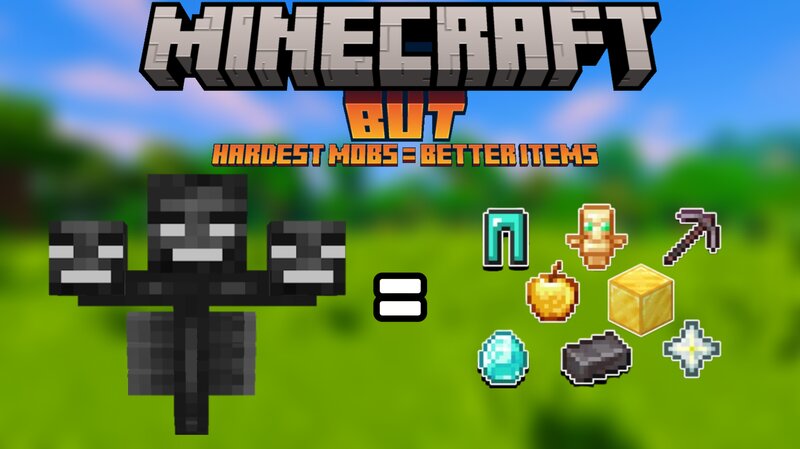
Minecraft, but Hardest Mob = Better Loot
Creator: KingJohnny · 2025-12-29 · Data packs · Free on Eaglercraft Studio
Download Minecraft, but Hardest Mob = Better Loot — free Minecraft data pack. Created by KingJohnny. Tagged but, loot tables, minecraft, minecraftbut. Drop into your world’s datapacks folder when the archive is available.
Creator notes
Better Mob = Better Loot (Datapack) This datapack rewards players for defeating stronger mobs by giving better loot. The more difficult the mob you kill, the better items you receive. Stop grinding weak mobs — this datapack encourages players to fight dangerous enemies and get rewarded for taking risks. Features: - Stronger mobs drop better and more valuable loot - Hard mobs and bosses give high-tier rewards - Encourages challenging combat instead of easy farming - Survival-friendly and balanced - Works automatically without commands - Lightweight and performance-friendly How It Works: Each mob has a difficulty level. When a mob is defeated, the datapack checks its strength and adjusts the quality of the dropped items. Easy mobs drop basic loot, while strong mobs can drop rare and powerful items. Perfect For: - Survival and Hardcore worlds - RPG and Adventure gameplay - Multiplayer servers - Players who want more rewarding combat Installation: 1. Download the datapack 2. Put it into the world's "datapacks" folder 3. Use /reload 4. Enjoy better loot from harder mobs Compatibility: - Minecraft Java Edition - No mods required - Compatible with most datapacks
Added value
What’s included on this page
Preview, categories, compatibility, and tools on this page — not a bare file mirror.
- Creator
- KingJohnny
- Source
- Minecraft downloads library on Eaglercraft Studio
- Type
- Minecraft data pack
- Price
- Free download on Eaglercraft Studio
- Curation
- Listed with credit to KingJohnny · studio preview & install guide
- to version
- Minecraft 1.21
- Compatible with
- Minecraft Java (match version / loader in facts)
- Tags
- But, Loot Tables, Minecraft, Minecraftbut, Oploot, Random
Install guide
How to install this free data pack
Data pack listing with creator credit and world-folder install steps.
- 1Download the datapack archive.
- 2Open your world folder → datapacks, and place the zip or folder there.
- 3Run /reload in-game (or reopen the world) to enable it.
Data packs are Java Edition. Match the pack’s game version to avoid broken recipes or worldgen.
Related free data packs
More curated data packs from the same library section.

MoisturePack · 75 diamonds · 6 views

ProGameBot · 46 diamonds · 3 views

sniffercraft34 · 46 diamonds · 1 views

sniffercraft34 · 45 diamonds · 648 views