
Minecraft But I can CRAFT EVERYTHING with DIRT
Creator: AdarshHehe · 2026-07-02 · Data packs · Free on Eaglercraft Studio
Download Minecraft But I can CRAFT EVERYTHING with DIRT — free Minecraft data pack. Created by AdarshHehe. Tagged advancements, but, challenge, functions. Drop into your world’s datapacks folder when the archive is available.
Creator notes
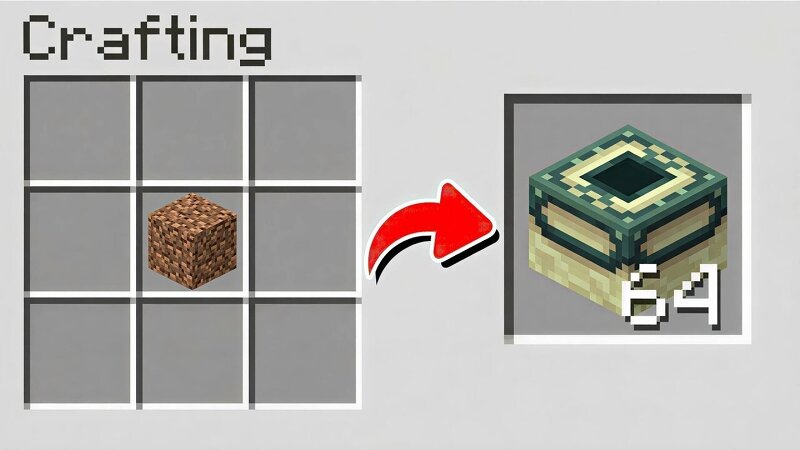
Minecraft, But I Can CRAFT EVERYTHING With DIRT Ever looked at a pile of Dirt and thought "this should be enough to win the game" ? Now it is. This datapack turns the most useless block in Minecraft into the only resource you'll ever need. Every recipe below uses Dirt as the core ingredient — craft your way from Iron and Gold all the way up to Netherite, Elytra, and even Command Blocks, no mining or Nether trip required. ✨ Key Feature: Auto-Unlock No more digging through the recipe book wondering why your recipes aren't showing up. The moment you pick up a single block of Dirt , every custom recipe in this pack instantly unlocks in your recipe book. Just grab some dirt and start crafting. 🛠️ Installation Download the .zip file — do not extract it. Drop it directly into your world's datapacks folder, or Add it from the Data Packs screen when creating a new world. Run /reload if added to an existing world. Pick up a Dirt block — recipes unlock automatically! 📜 Recipes Included Diamond Iron Ingot Gold Ingot Netherite Ingot Ender Pearl End Portal Frame Elytra Trident Totem of Undying Golden Carrot Golden Apple Enchanted Golden Apple Bow Arrow Mace TNT Enchanting Table Experience Bottle
Added value
What’s included on this page
Preview, categories, compatibility, and tools on this page — not a bare file mirror.
- Creator
- AdarshHehe
- Source
- Minecraft downloads library on Eaglercraft Studio
- Type
- Minecraft data pack
- Price
- Free download on Eaglercraft Studio
- Curation
- Listed with credit to AdarshHehe · studio preview & install guide
- to version
- Minecraft 26.2
- Compatible with
- Minecraft Java (match version / loader in facts)
- Tags
- Advancements, But, Challenge, Functions, Loot Tables, Minecraft
Install guide
How to install this free data pack
Data pack listing with creator credit and world-folder install steps.
- 1Download the datapack archive.
- 2Open your world folder → datapacks, and place the zip or folder there.
- 3Run /reload in-game (or reopen the world) to enable it.
Data packs are Java Edition. Match the pack’s game version to avoid broken recipes or worldgen.
Related free data packs
More curated data packs from the same library section.

MoisturePack · 75 diamonds · 6 views

ProGameBot · 46 diamonds · 3 views

sniffercraft34 · 46 diamonds · 1 views

sniffercraft34 · 45 diamonds · 648 views