
Minecraft But It's Backwards
Creator: BebuPlayz · 2026-05-11 · Data packs · Free on Eaglercraft Studio
Download Minecraft But It's Backwards — free Minecraft data pack. Created by BebuPlayz. Tagged advancements, but, functions, minecraft. Drop into your world’s datapacks folder when the archive is available.
Creator notes
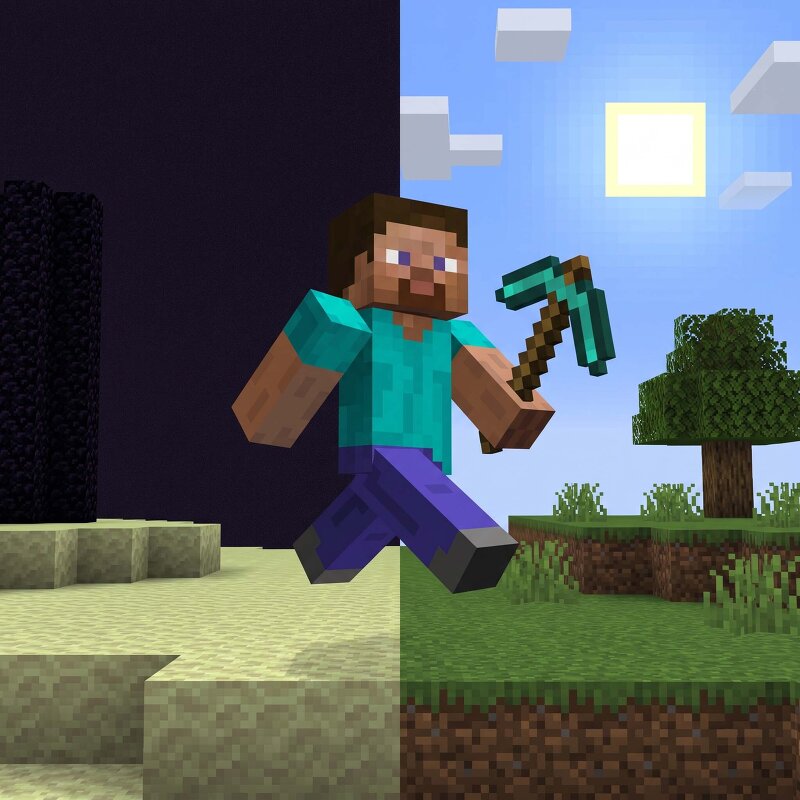
Minecraft But Backwards Minecraft But Backwards completely reverses Minecraft’s normal progression; you begin stranded in the End, defeat the Ender Dragon to escape, survive through the Nether, and finally reach the Overworld. Every step of the journey is flipped upside down, turning simple milestones into major achievements, where even getting your first wood block becomes the true end goal. Features You Spawn in the End Dimension Goal: Wood Log. Multiplayer support. Custom Objective advancement tab. 📦 Installation This is a Datapack - no mods required. Download the .zip file Open Minecraft and navigate to your world's folder %appdata%.minecraft\saves<YourWorldName>\ on Windows ~/Library/Application Support/minecraft/saves/<YourWorldName>/ on macOS Drop the .zip directly into the datapacks folder (do not unzip it) Launch your world and run /reload if the world is already open Watch for the Bebu load message in chat, you're live! ❓ FAQ Q: Does this work with Fabric or Forge mods? A: Yes. It's a vanilla datapack and runs alongside any mods without conflict. Q: Can I use this on a server? A: Absolutely. It's designed with multiplayer in mind. Q: Does it work on existing worlds? A: No
Added value
What’s included on this page
Preview, categories, compatibility, and tools on this page — not a bare file mirror.
- Creator
- BebuPlayz
- Source
- Minecraft downloads library on Eaglercraft Studio
- Type
- Minecraft data pack
- Price
- Free download on Eaglercraft Studio
- Curation
- Listed with credit to BebuPlayz · studio preview & install guide
- Compatible with
- Minecraft Java (match version / loader in facts)
- Tags
- Advancements, But, Functions, Minecraft, Minecraftbut, Minecraftbutbackwards
Install guide
How to install this free data pack
Data pack listing with creator credit and world-folder install steps.
- 1Download the datapack archive.
- 2Open your world folder → datapacks, and place the zip or folder there.
- 3Run /reload in-game (or reopen the world) to enable it.
Data packs are Java Edition. Match the pack’s game version to avoid broken recipes or worldgen.
Related free data packs
More curated data packs from the same library section.

MoisturePack · 75 diamonds · 6 views

ProGameBot · 46 diamonds · 3 views

sniffercraft34 · 46 diamonds · 1 views

sniffercraft34 · 45 diamonds · 648 views