
Minecraft, But Ores Drops OP LOOT
Creator: AdarshHehe · 2026-07-18 · Data packs · Free on Eaglercraft Studio
Download Minecraft, But Ores Drops OP LOOT — free Minecraft data pack. Created by AdarshHehe. Tagged advancements, but, functions, loot tables. Drop into your world’s datapacks folder when the archive is available.
Creator notes
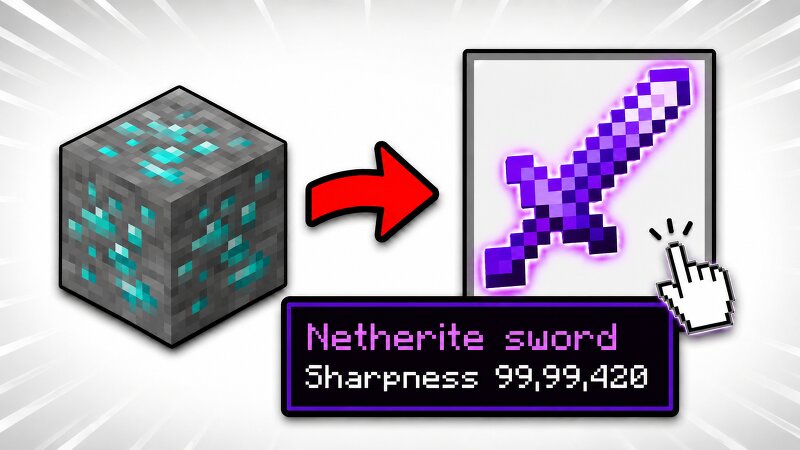
Minecraft But, Ores Drop OP Items Ever mined a lump of Coal and felt disappointed? Not anymore. This datapack turns every single ore in the game into a loot vault — the rarer the ore, the crazier the loot. ⚠️ Loot follows a strict rarity-based priority order — rarer ores always give stronger gear. Coal never outdrops Diamond, and Ancient Debris always sits at the very top. No random tier-skipping — the power curve matches the ore's actual rarity in the game. ⛏️ Loot Tiers (scaled by rarity) Ancient Debris > Diamond > Emerald > Gold, Lapis, Nether Gold > Iron, Redstone > Copper, Nether Quartz > Coal ✨ Bonus Pool Every single ore also has a chance to additionally drop: Golden Apple, Enchanted Golden Apple, Golden Carrot, Ender Pearl, Blaze Rod, Mace, Breeze Rod, TNT — and on 1.21.11+, the new Spear . 🛠️ Installation Download the .zip that matches your Minecraft version — do not extract it. Drop it directly into your world's datapacks folder, or add it from the Data Packs screen when creating a new world. Run /reload if added to an existing world. Start mining — every ore is now worth breaking. Found a bug or have an idea for a new OP item to add? Let me know in My Discord !
Added value
What’s included on this page
Preview, categories, compatibility, and tools on this page — not a bare file mirror.
- Creator
- AdarshHehe
- Source
- Minecraft downloads library on Eaglercraft Studio
- Type
- Minecraft data pack
- Price
- Free download on Eaglercraft Studio
- Curation
- Listed with credit to AdarshHehe · studio preview & install guide
- to version
- Minecraft 26.2
- Compatible with
- Minecraft Java (match version / loader in facts)
- Tags
- Advancements, But, Functions, Loot Tables, Minecraft, Minecraftbutoresdropoploot
Install guide
How to install this free data pack
Data pack listing with creator credit and world-folder install steps.
- 1Download the datapack archive.
- 2Open your world folder → datapacks, and place the zip or folder there.
- 3Run /reload in-game (or reopen the world) to enable it.
Data packs are Java Edition. Match the pack’s game version to avoid broken recipes or worldgen.
Related free data packs
More curated data packs from the same library section.

MoisturePack · 75 diamonds · 6 views

ProGameBot · 46 diamonds · 3 views

sniffercraft34 · 46 diamonds · 1 views

sniffercraft34 · 45 diamonds · 648 views